
Modernizing apparel stocking to save time and improve shelf availability
Case Study
Revolutionizing Apparel Inventory with RFID and AR
iOS & Android
Enterprise
Augmented Reality
Summary
Walmart needed a better way to manage apparel inventory at scale, as manual workflows and limited visibility led to stocking delays, excess backroom inventory, and missed sales.
I led research and design for a mobile experience powered by RFID and AR that streamlined stocking, improved shelf availability, and supported Walmart’s broader goals of reducing out-of-stocks and modernizing store operations.
Contributions
Product Strategy
UX / UI Design
Design System Updates
Prototyping
User Testing
My Role
Lead Designer (1/2)
Team
Design Leadership
Business
Product (3 Teams)
Engineering (3 Teams)
Accessibility
Est. Project Impact
+$565M/year
Increased sales & efficiency

The Problem
Too Much to Manage
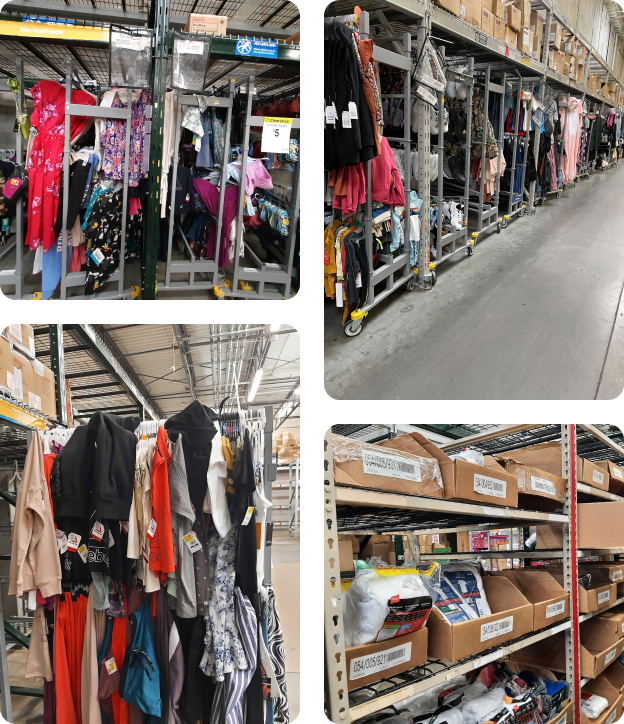
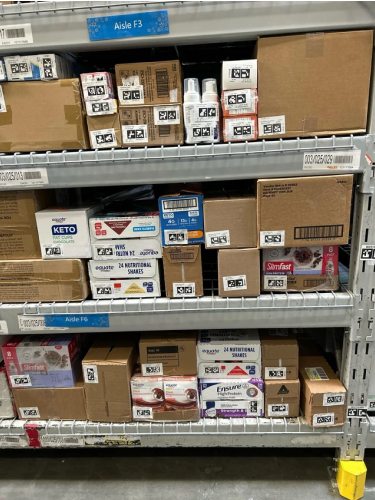
Imagine you’re responsible for stocking apparel inventory at Walmart. In the backroom, you see dozens of large rolling racks, each packed with hundreds of hanging items – not to mention the 100+ boxes filled with non-hanging apparel.
The apparel team has to stock 1000’s of items with no data or guidance
With so much inventory to manage, associates don’t know what to stock, which leads to missed opportunities for customers to find the products they need.
Proposed Solution
New Tech-Powered Process
Walmart already has 2 inventory tools that leverage innovative technology:
- The apparel team uses an RFID scanning wand to count inventory each week, but it’s just for bulk counting and doesn’t have the precision required to accurately locate items.
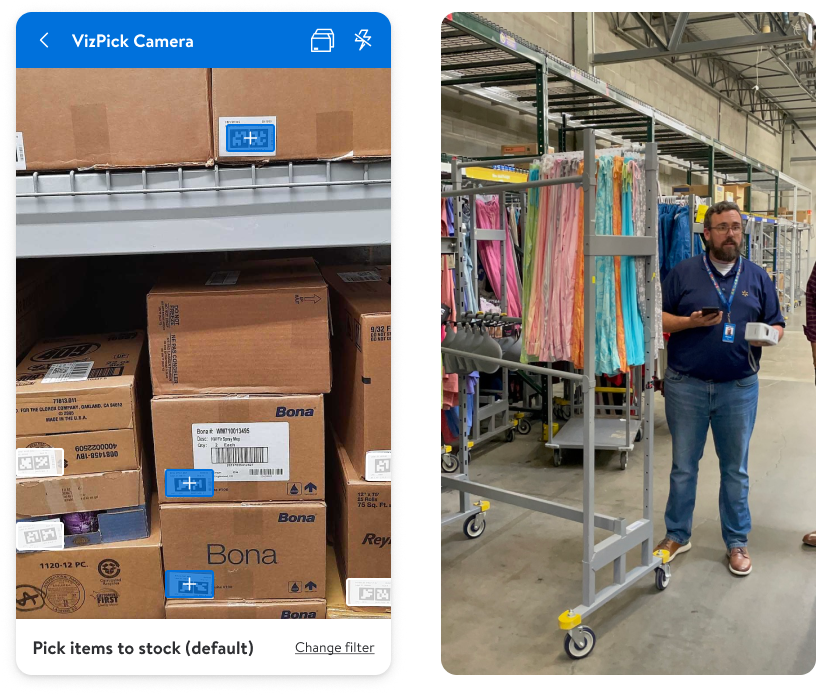
- Other departments use an augmented reality camera tool called VizPick to help find inventory to stock to the sales floor.
How might we leverage these existing technologies to help associates easily manage apparel inventory?
- Use RFID to count and locate inventory.
- Use VizPick to streamline the stocking process.
Discovery
What’s Working Today?
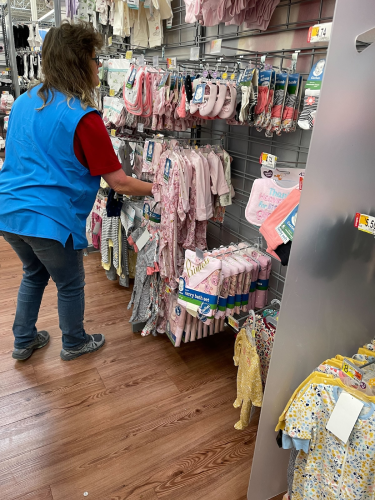
I started by visiting a few stores to see how the apparel team was performing the weekly RFID inventory counts and how other departments were using VizPick. While iterating on concepts, my team and I continued visiting stores to gather feedback and validate design decisions.
Defining new stocking process
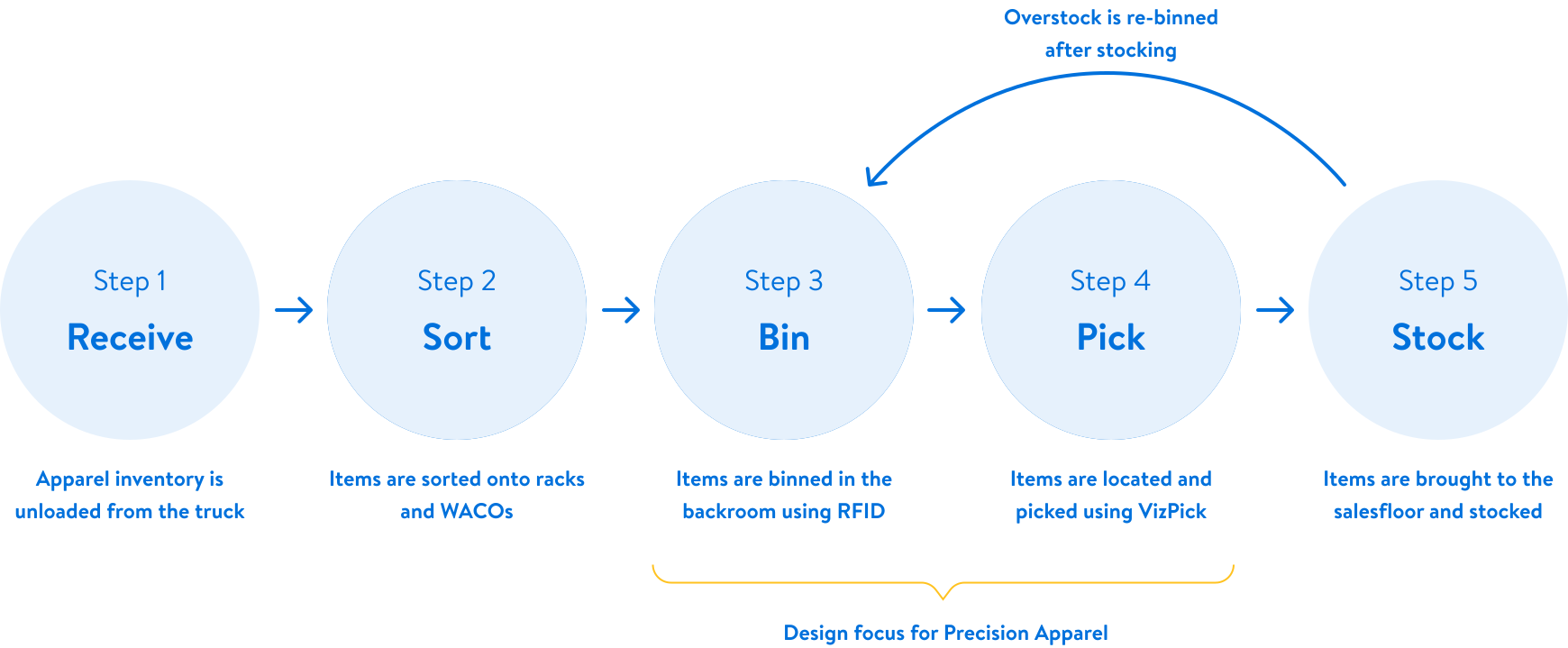
We then began to define what the new stocking process would look like and what the responsibilities would be for teams across multiple shifts.
RFID Findings
Familiar Devices, New Behavior
For Precision Apparel, associates will use an RFID wand to scan items in the backroom, capturing both count and location data. While associates are familiar with RFID scanning, key differences from weekly inventory scans introduce new challenges.
Associates will need to scan more precisely
Weekly scans use a high power setting on the wand to detect items at a distance. Precision Apparel will require closer-range scans at a lower power setting.
Associates will need to manually hold the wand trigger while scanning
For weekly counts, the wands scan automatically to pick up as many items as possible. For Precision Apparel, the wand trigger will have to be manually pressed so it only picks up the intended items.
VizPick Findings
Adaptation Challenges
Inventory for most other departments is managed with VizPick, but there are some key differences for apparel inventory that make using VizPick challenging.
VizPick camera needs to see all of the items
How can VizPick find apparel items to stock if it can’t see the item tags?
VizPick doesn’t provide guidance to associates
With so many apparel items to stock, how can we provide a guided experience but still maintain process flexibility?
My Leadership Impact
Aligning Stakeholders on Expanded Scope
Originally, a stocking experience was not in scope for this project because it wasn’t considered a sales floor tool. I identified several critical risks with that approach and convinced project leadership that we should design the experience based on associate needs rather than corporate team structures.
Apparel racks have too many items to not provide stocking guidance
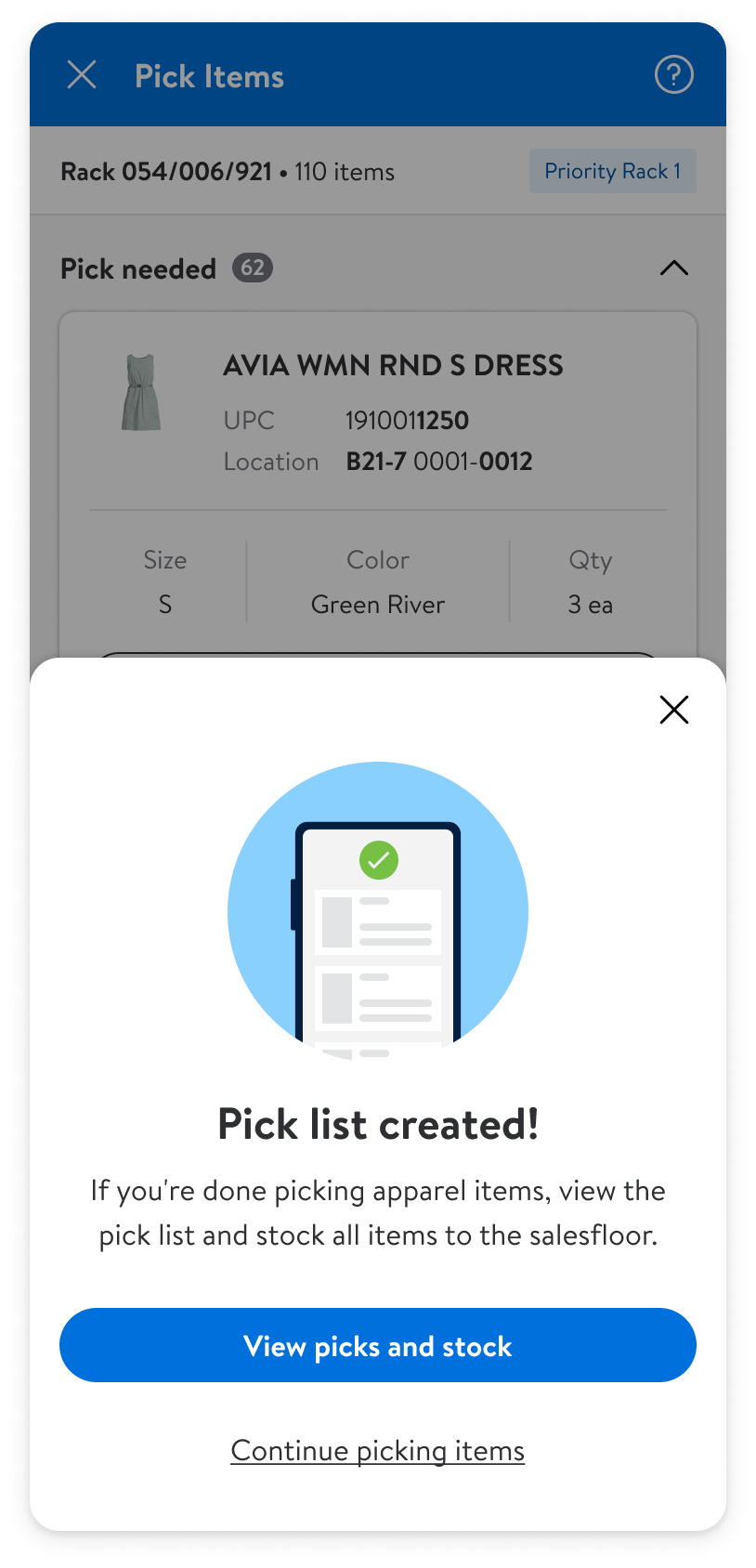
I created a guided pick list experience that made stocking easier based on location.
Closing the inventory loop
With this approach, associates are prompted by the UI to bin racks after stocking, ensuring accurate inventory.
Project Impact
+$565M/year
Increased sales & efficiency.
9
Teams of stakeholders aligned.
Final Designs
Getting ready to scan items
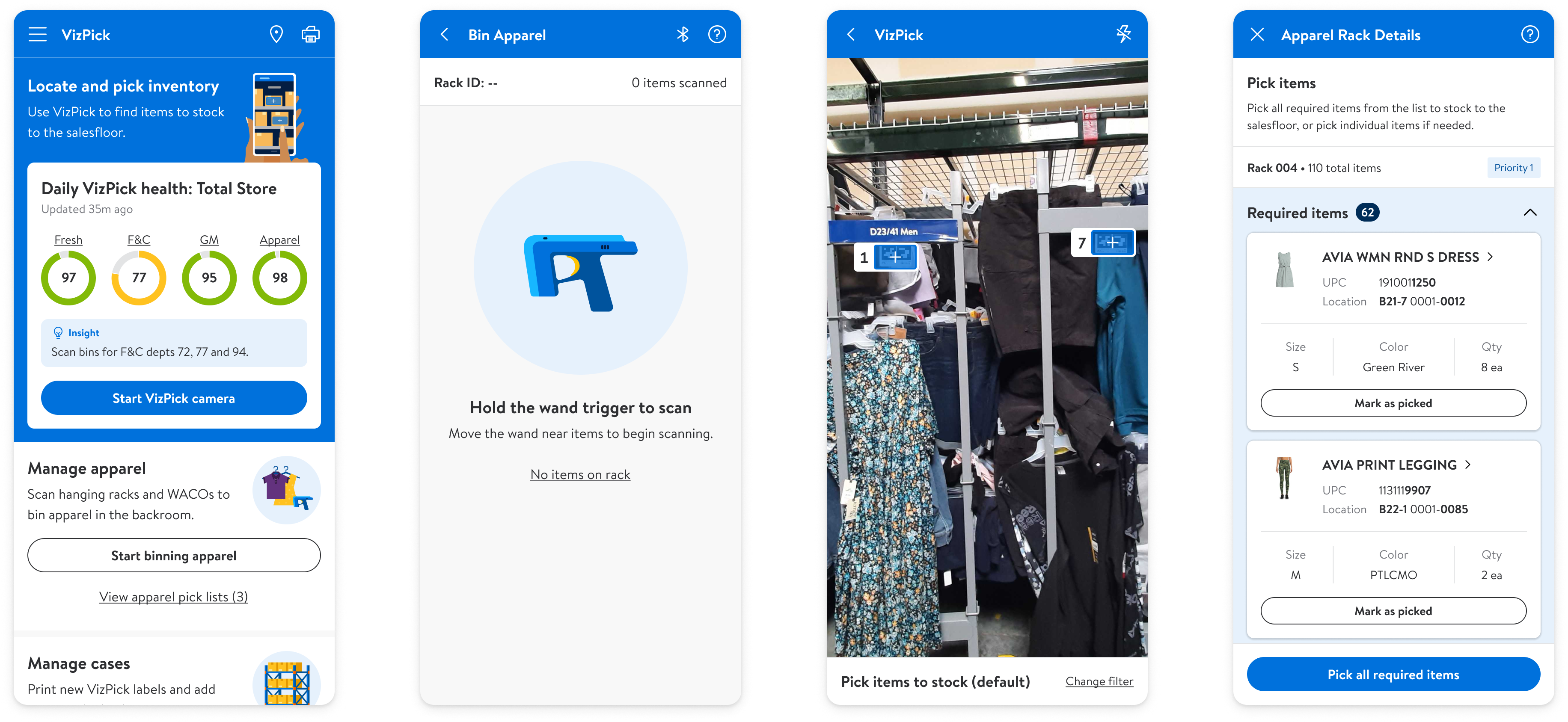
Associates start on the VizPick dashboard and pair their phone with an RFID wand.

Scanning items into the backroom
Associates are first instructed to isolate the inventory they want to scan.
Once they are ready to start scanning, a dynamic illustration is shown that changes when the wand trigger is pulled, to reinforce the new behavior of manually pulling the wand trigger.
As tags are read, the scanning illustration shrinks and the list is populated with the items that are scanned.

Completing the scan
When associates finish scanning a rack, they can immediately prep and scan the next one. If they are done with racks, they are prompted to move on to scanning boxes.

Picking inventory
Once new inventory has been scanned, stocking can begin. When the associate launches the VizPick camera, the apparel racks are sorted and numbered in priority order based on the number of picks on each rack. Tapping on the rack lets the associate view and pick the contents.

Stocking inventory
Once associates are done picking items, they are taken to the active pick lists, where picks from the apparel racks are sorted by sales floor aisle, so stocking can be done in the most efficient order. Once stocking is complete, associates are prompted to scan any apparel racks they worked on, to confirm what items were stocked.

Other Projects
Mobile Ordering for Walmart Managers
Award-winning mobile app that lets managers scan items, get AI-powered recommendations, and place orders while walking the sales floor.
iOS & Android
eCommerce
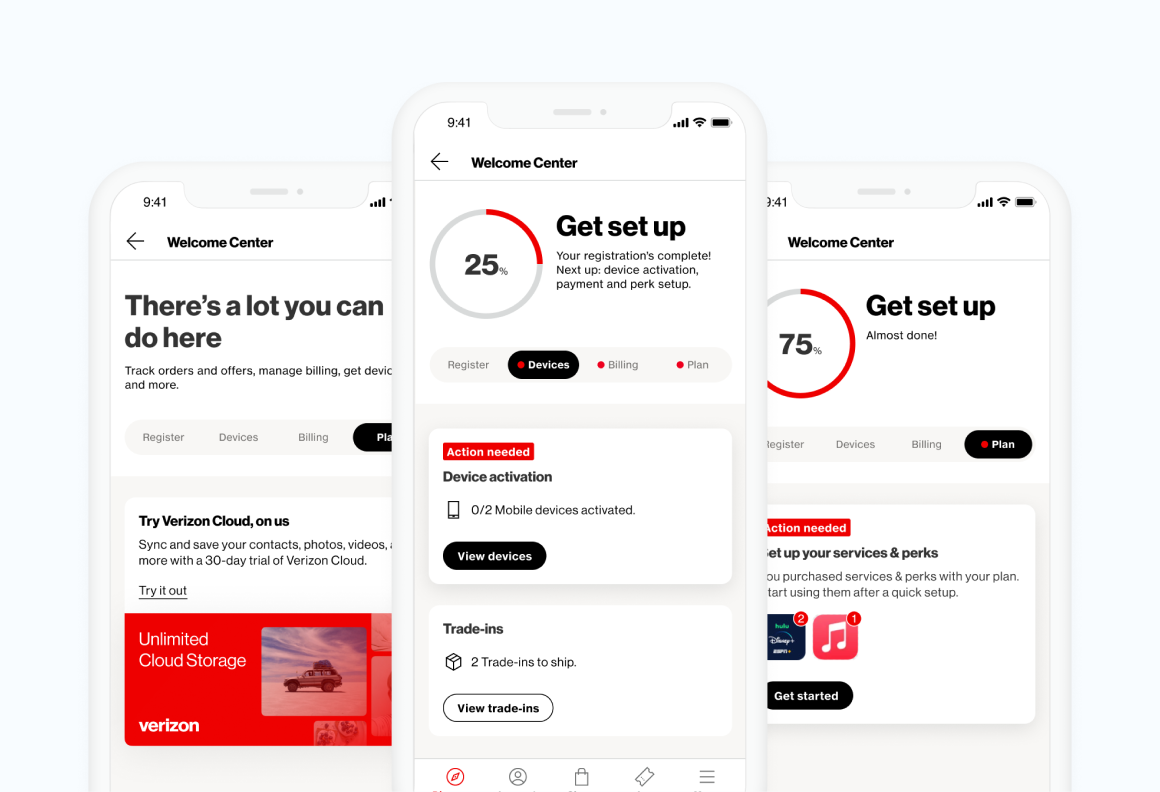
Scaling Onboarding to All Verizon Customers
A redesigned experience for new customers focused on task clarity, future scalability, and increased engagement.
iOS & Android
Consumer Product
Let's Connect
Reach out to learn more about my work or to talk design.

