
Helping Customers Get Started with Clarity and Confidence
Case Study
Scaling Onboarding to All Verizon Customers
iOS & Android
Consumer Product
Summary
Verizon’s new post-purchase onboarding flow was reducing support call volume and improving completion rates for new single-line customers. However, multi-line users continued to face confusion, driving higher support costs and missed revenue opportunities.
I led UX for a redesigned onboarding experience focused on task clarity, future scalability, and increased engagement—resulting in higher completion rates, improved attachment metrics, and measurable business impact.
Contributions
Product Strategy
UX / UI Design
User Research
Prototyping
User Testing
My Role
Lead Designer (1/2)
Team
Design Leadership
Product owners
Engineering
Content Design
Usability Impact
+30%
Increase in completion for multi-line customers
Usability Impact
+9%
Increase in completion for single-line customers
Revenue Impact
+12%
Verizon Visa click-through rate
Revenue Impact
+8%
Perk attachment rate
Context
Early Signs of Success
Initial proof-of-concept
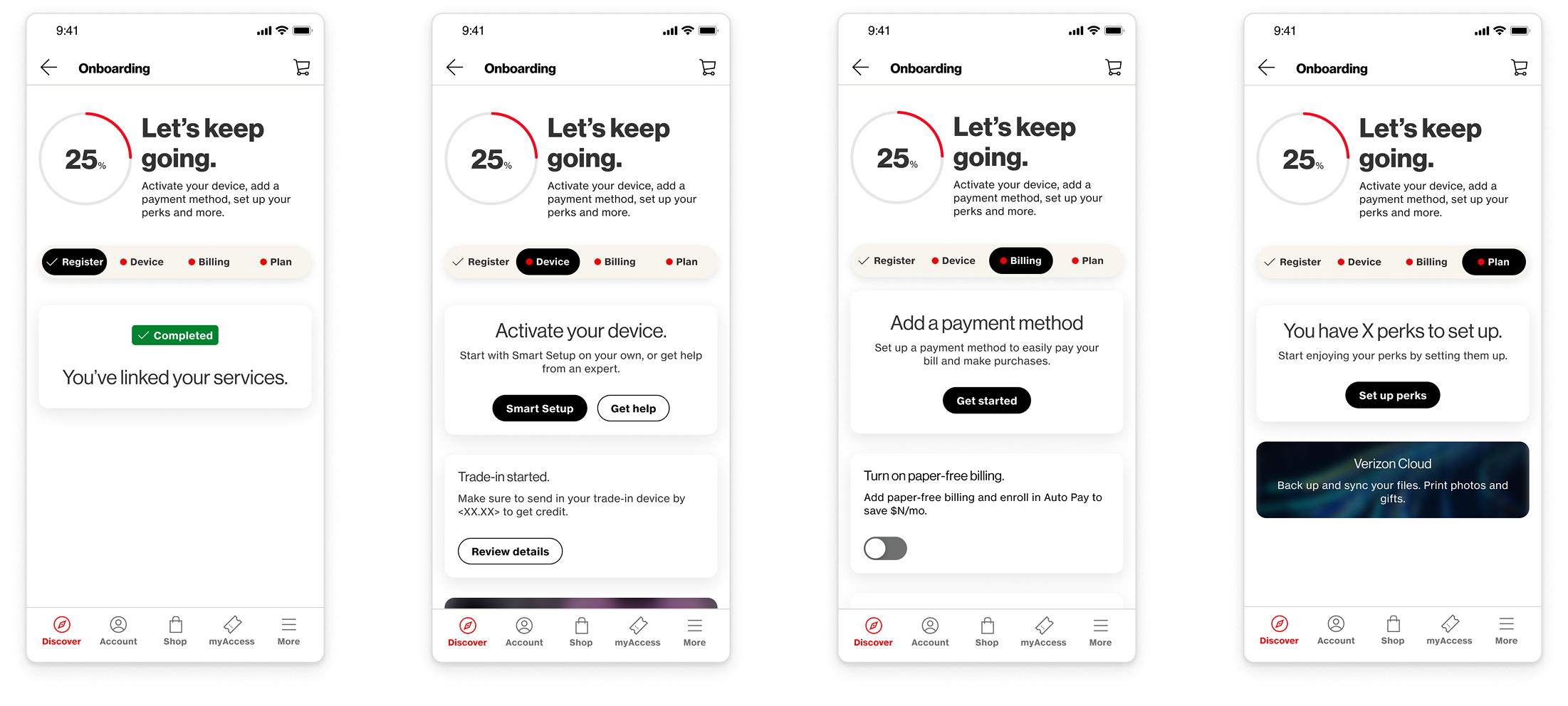
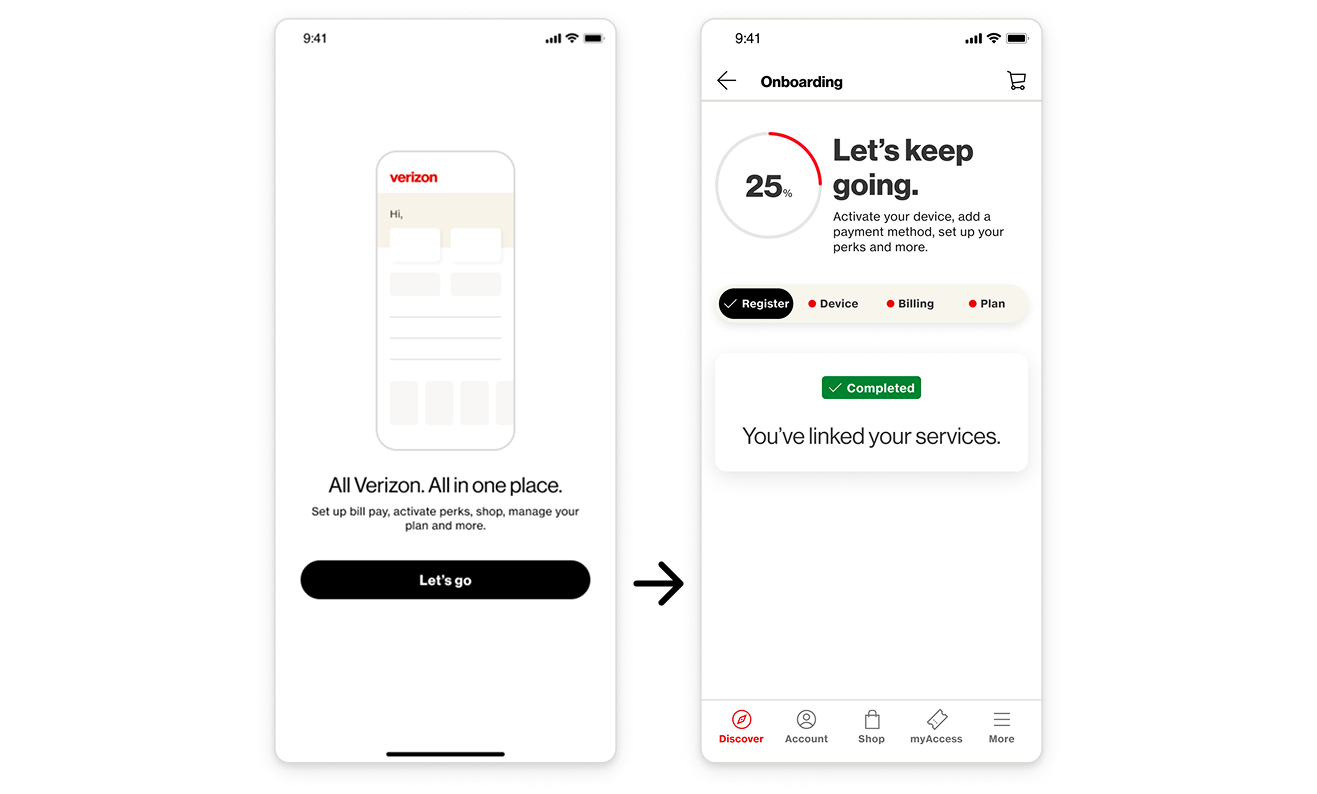
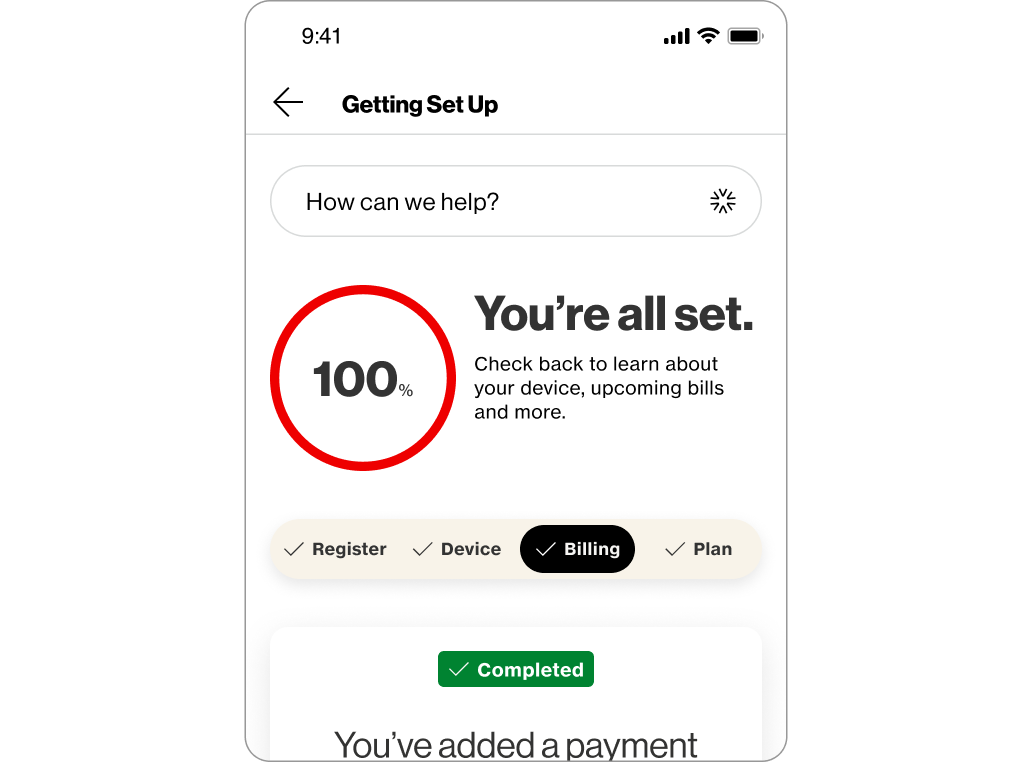
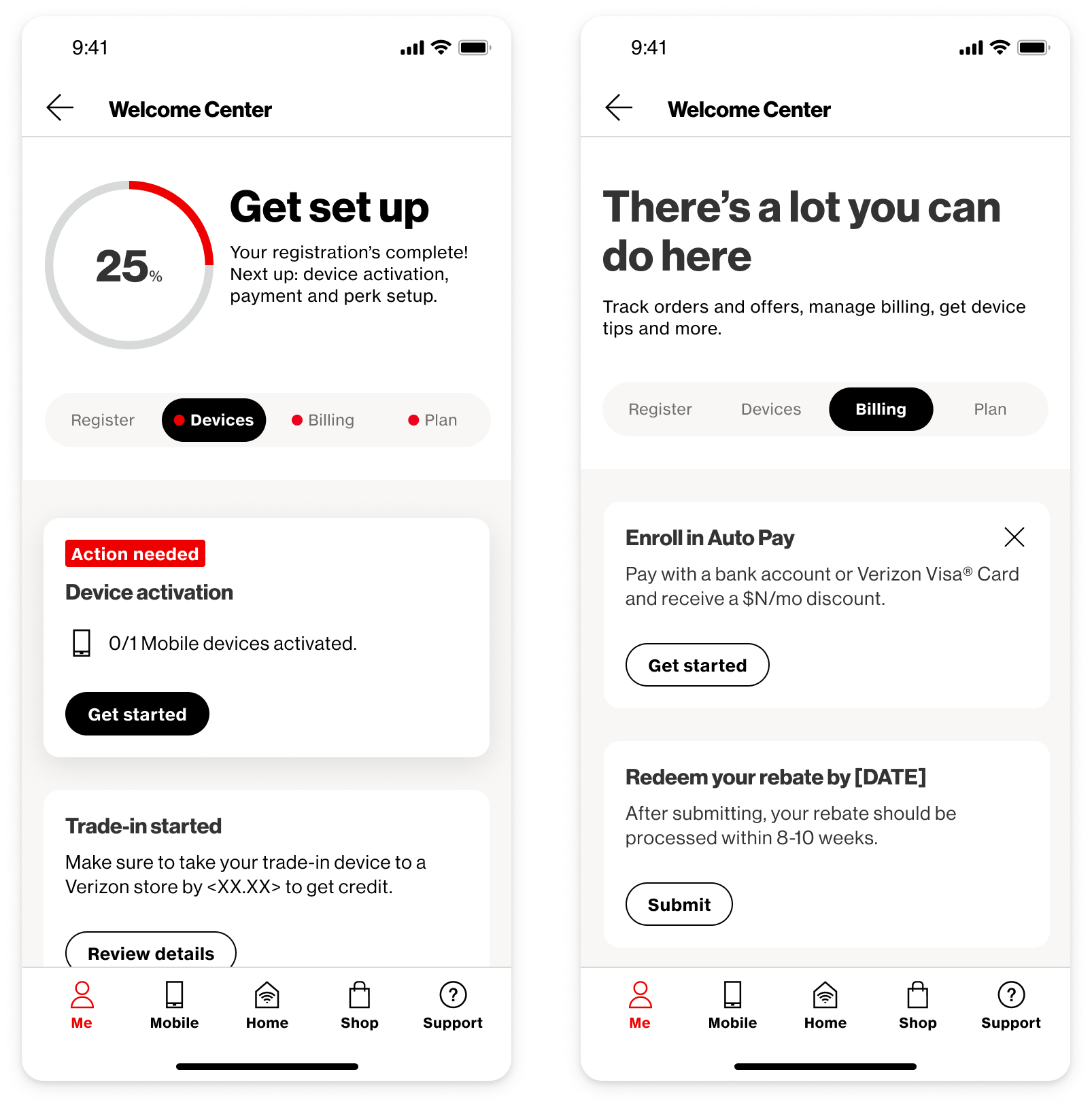
In 2024, Verizon released a new onboarding experience that enabled new customers to access the full value of their mobile account.
The new POC was already showing success, reducing call volume and improving customer setup rates, but multi-line customers were struggling with the new designs and they accounted for a large share of post-purchase fallout and support volume.
Business goals
- Reduce support call volume
- Improve customer setup & retention
- Increase revenue during customer post-purchase journey
- Scale to additional account types (Home 5G, fiber, etc.)
Below image: 2024 initial POC
Research
Key Problems
After running several moderated tests to gather customer feedback, we identified a few issues to address.
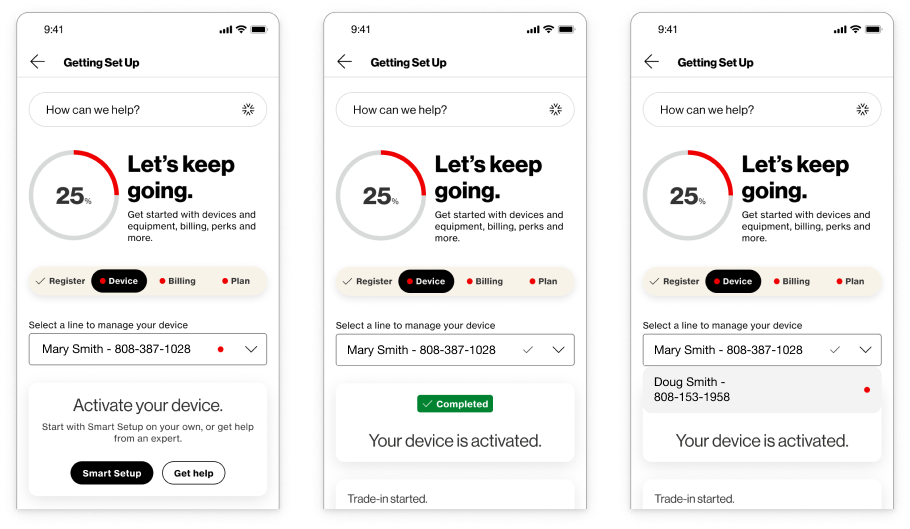
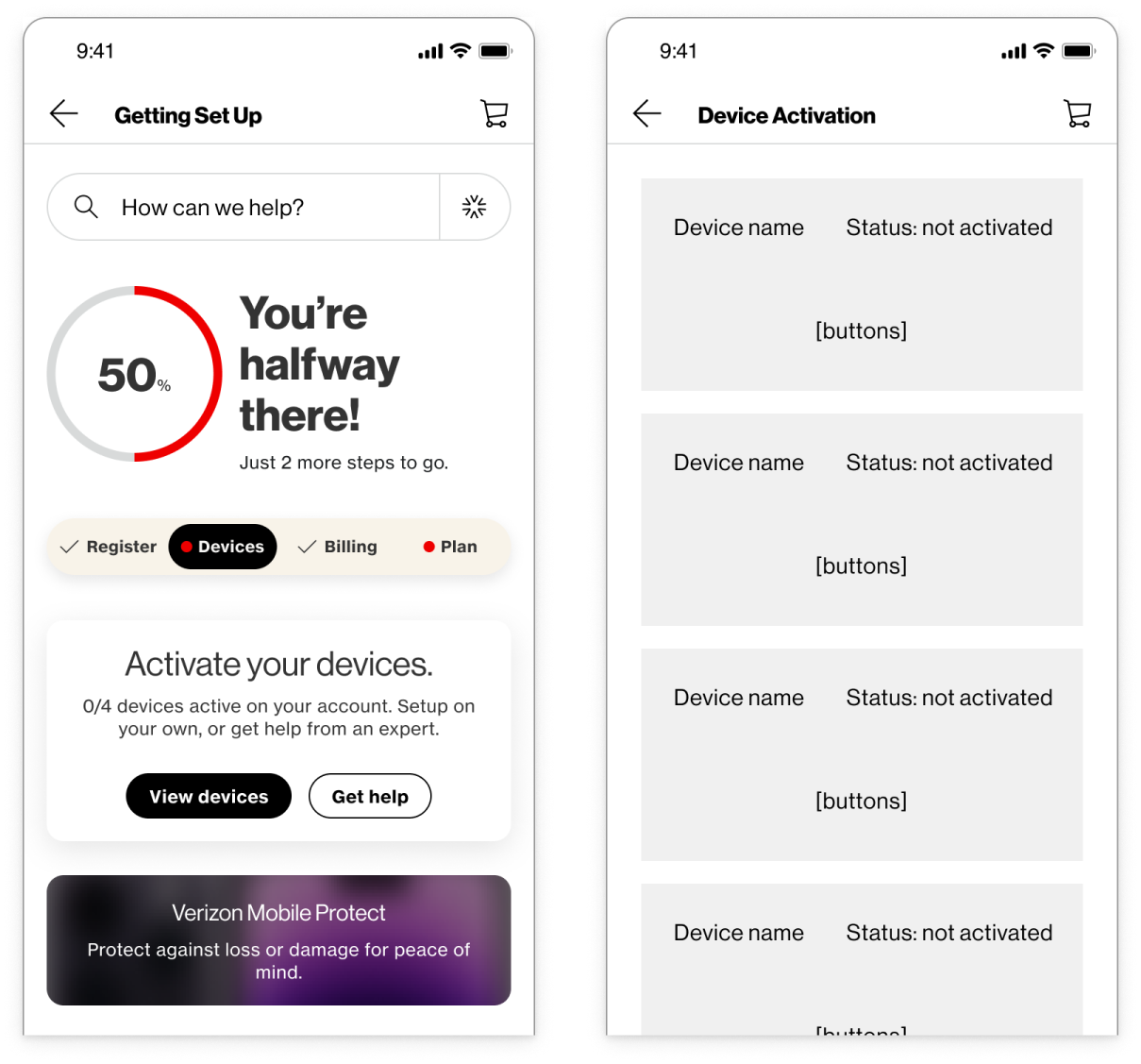
Problem 1: The POC wasn’t designed to scale to accounts with multiple lines
Right before I joined the project, a dropdown was added to switch between lines, but it added a lot of friction and confusion.
Business goal: Reduce support call volume
Problem 2: Customers expect clear guidance and calls to action
Customers were expected to manually navigate between tabs, and many customers perceived the tab bar as a checklist and not interactive.
Business goal: Improve customer setup & retention
Problem 3: Customers didn’t understand that there was more to see after setup
Customers perceived the checkmark on each tab as “done—nothing more to see here” and they wondered why they were still on this page after they reached 100%.
Business goal: Increase revenue during customer post-purchase journey
Discovery
How Might We?
Create a scalable, intuitive solution for multi-line actions
Clarify the visual signaling of the hub page
Wireframes
Rethinking Information Architecture
For early discussions, I mocked up some quick wireframes to explain an alternate approach that could be more scalable for multi-line actions.
Exploration
Device Activation Concepts
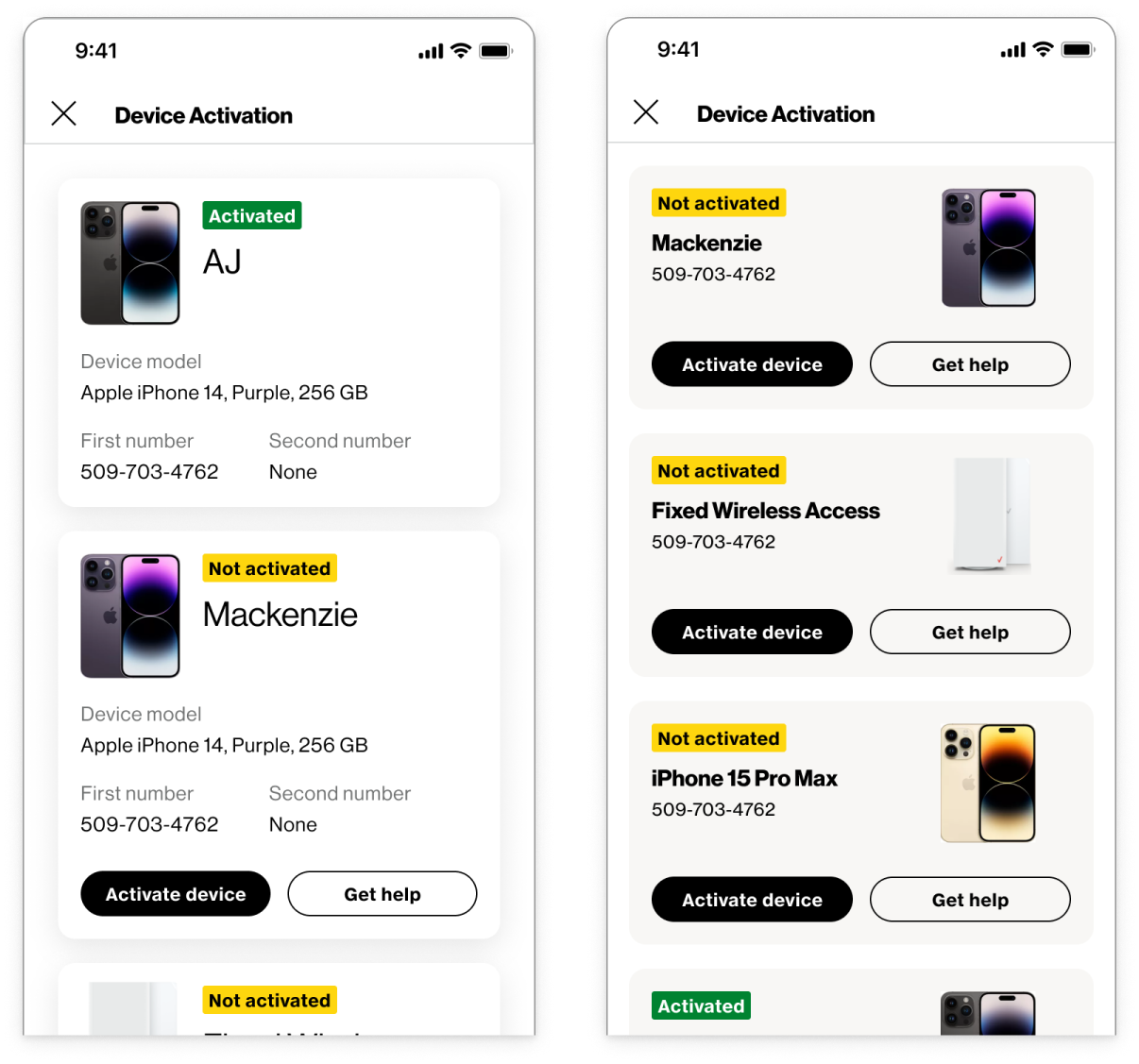
We had to determine what information was important to display on the card.
How could we make it clear which line was associated with which customer? We profile names for some customers, but not all.
I also planned to future-proof the designs, so they could scale to Home 5G and fiber customers too.
Exploration cont.
Action Card Refinement
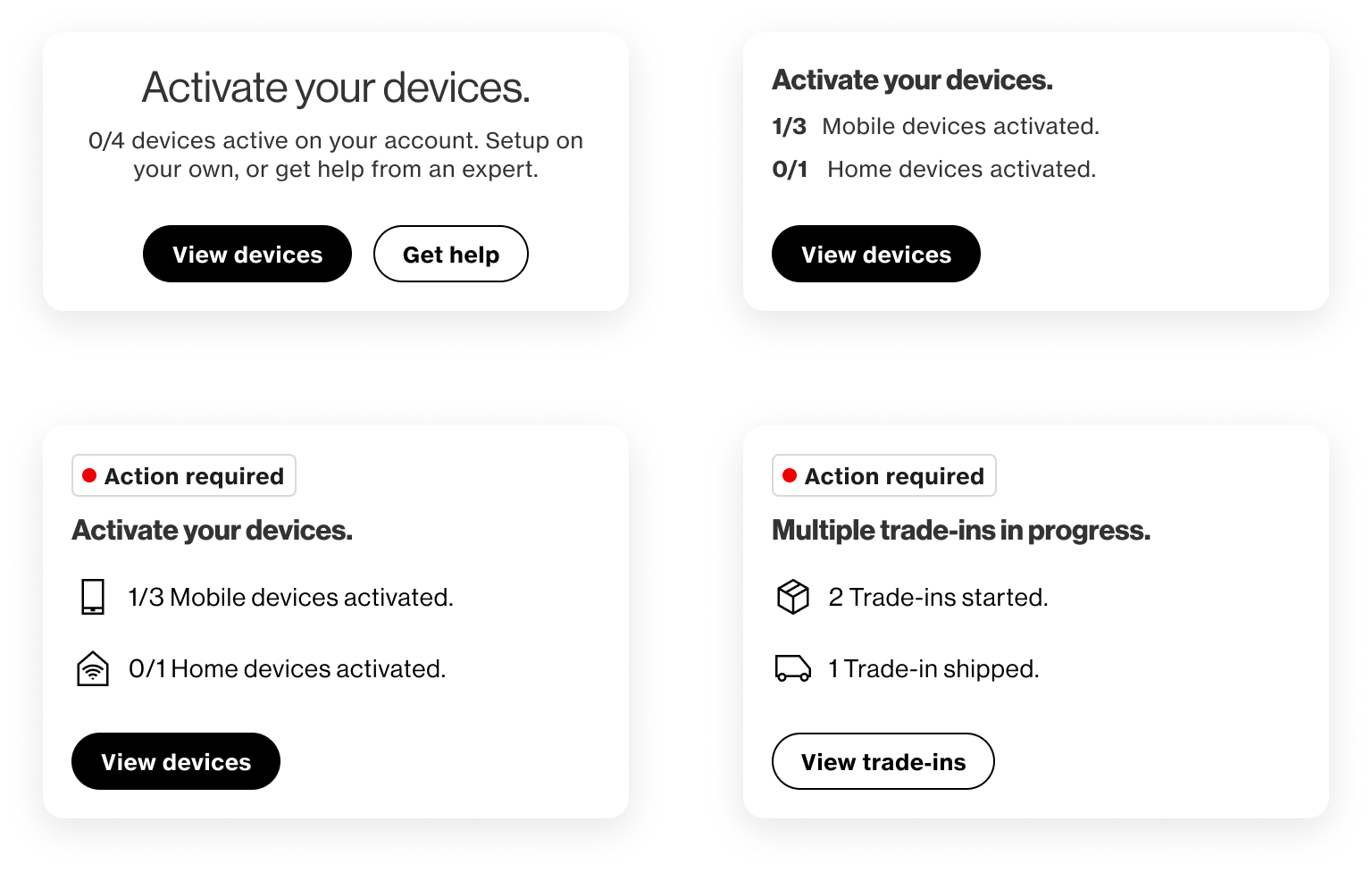
I started refining the content of the multi-line cards, which led to other questions about our existing design patterns.
Left-aligning the cards made it easier to quickly scan data points related to multiple lines.
I explored badging to make it really clear what actions were associated with the progress wheel.
There were also other actions, like trade-ins, that could affect multiple lines.
Exploration cont.
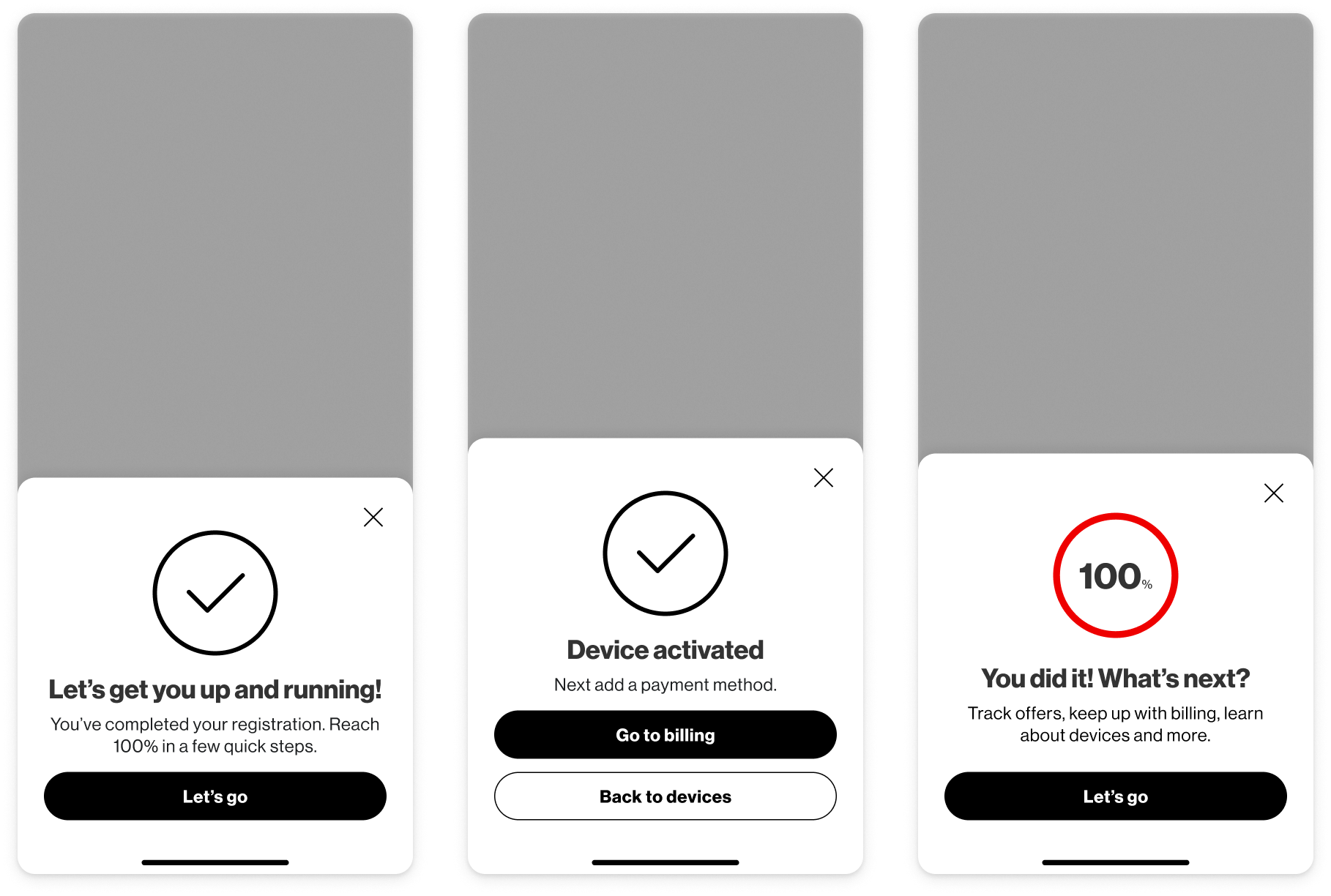
Creating a Guided Experience
Rather than relying on customers to manually navigate between tabs after completing each primary action, I explored confirmation states that guide customers to the next action.
Testing
Validating Design Direction
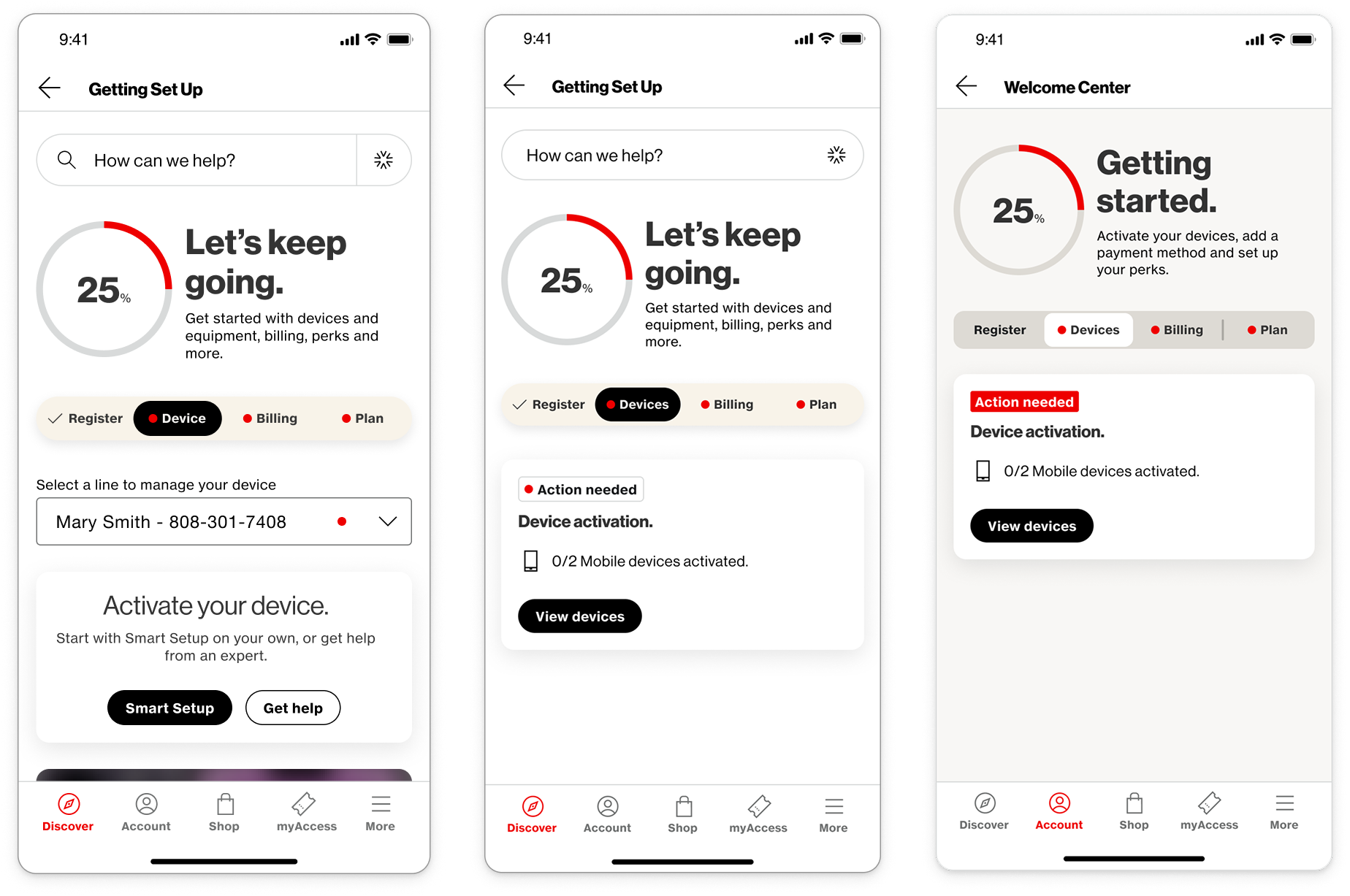
Working with our research team, we developed a test plan to get feedback on our proposed changes.
We tested 3 versions of the experience:
- Existing designs with the dropdown
- New sub-page with additional guidance
- Alternate styling and usability patterns
Findings
User Feedback Highlights
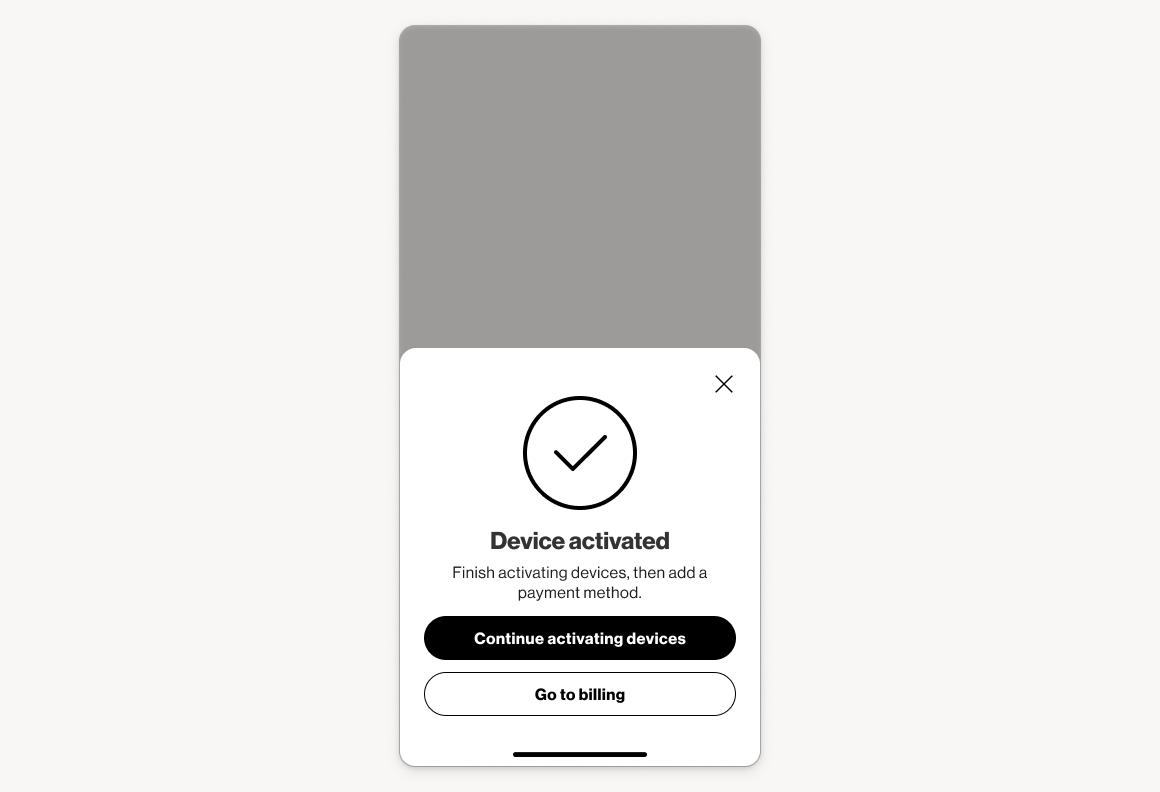
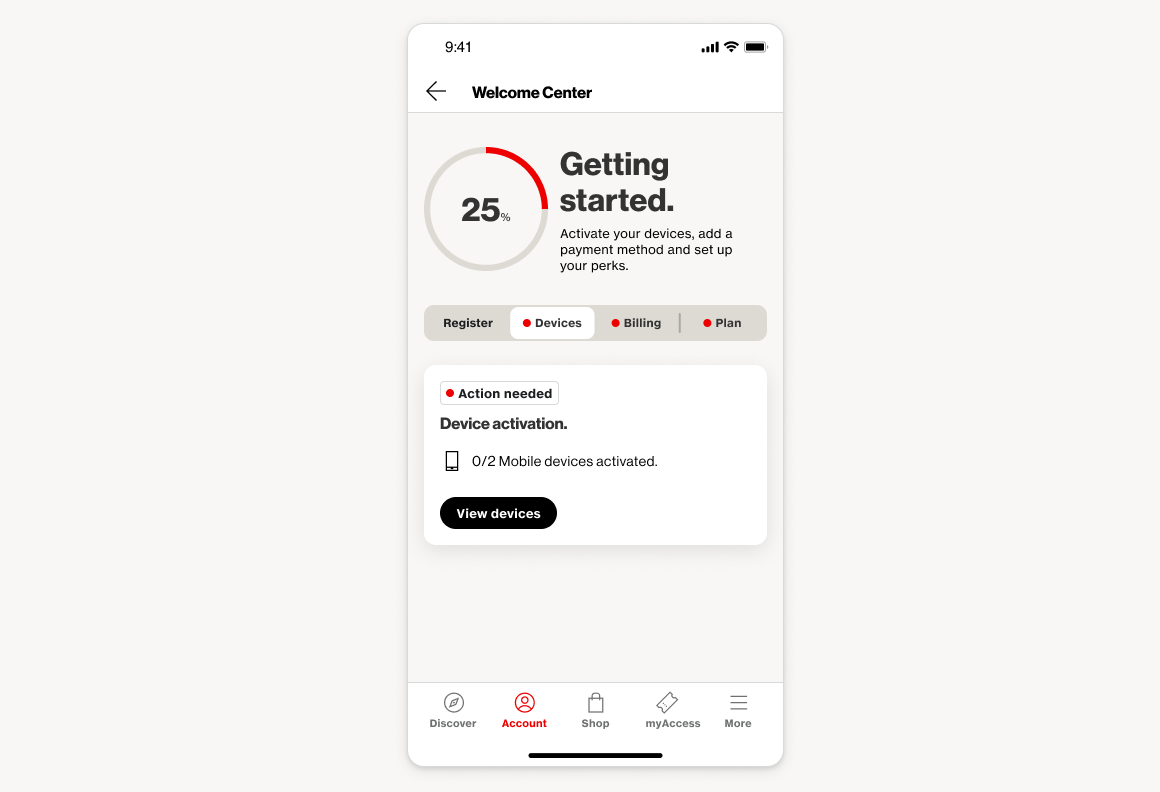
Testing showed we were headed in the right direction—customers appreciated the cleaner experience, clearer next steps, and consistent messaging of the updated designs. They responded well to the multi-line subpage and guided bottom sheets. We continued to address pain points around vague language, visual consistency, and premature ads in the next iteration.
Refinement
Iteration & Visual Brand Alignment
I continued to iterate on the designs, incorporating feedback from testing, including clarifying the intent of the page after initial setup.
Verizon was also in the middle of a large rebrand and redefining design patterns for account management experiences.
Project Impact
Usability Impact
+30%
Increase in completion for multi-line customers
Usability Impact
+9%
Increase in completion for single-line customers
Revenue Impact
+12%
Verizon Visa click-through rate
Revenue Impact
+8%
Perk attachment rate
Final Designs
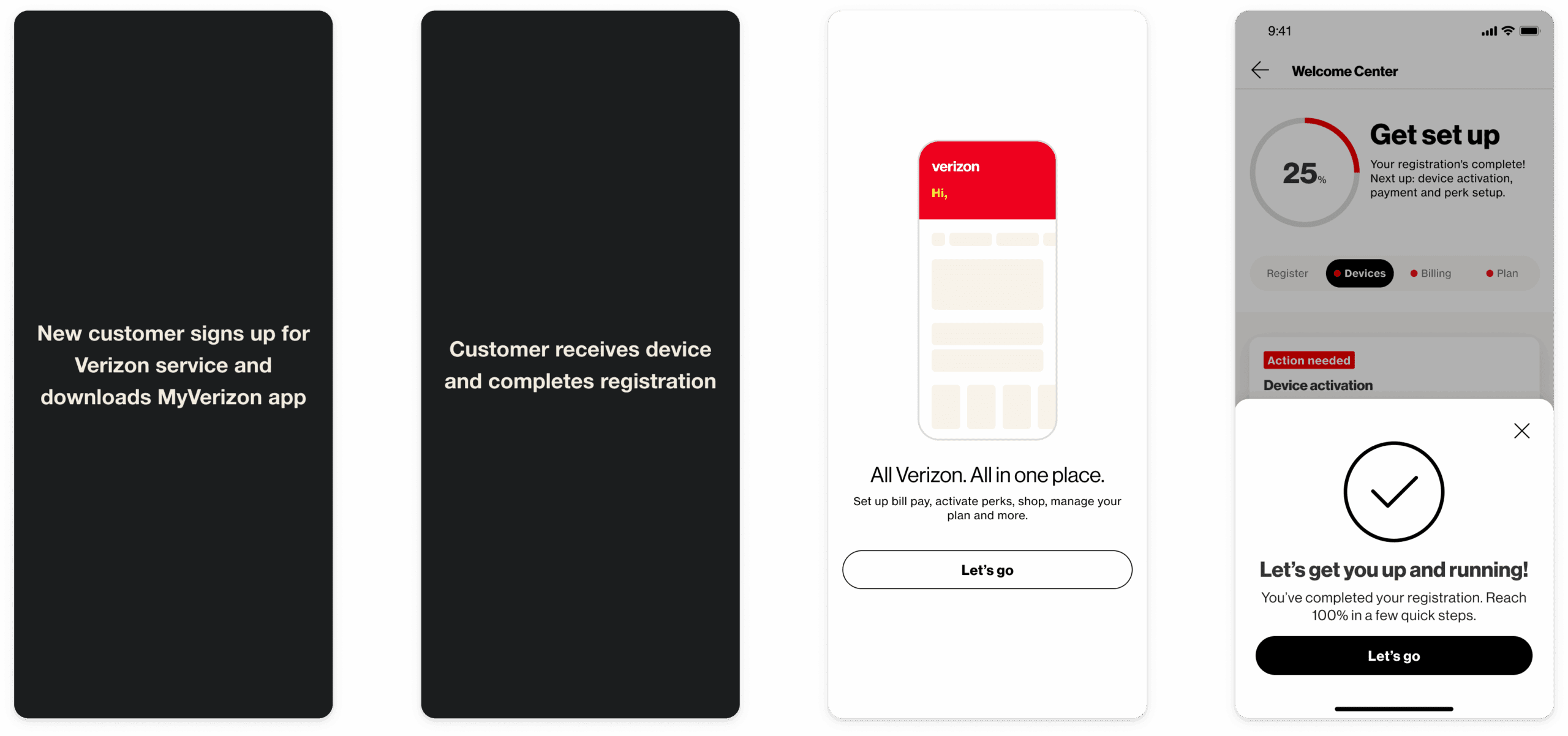
Entrypoint
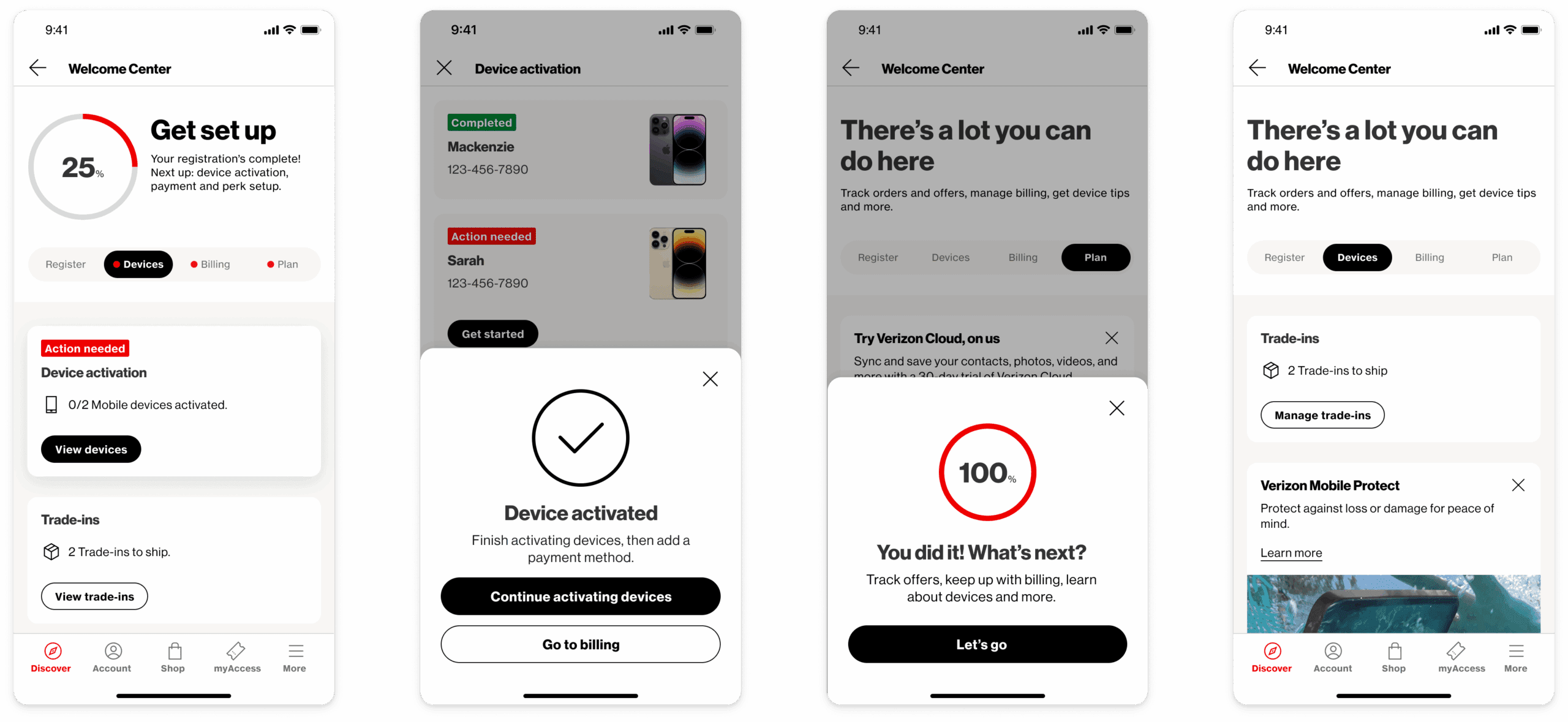
The customer lands on the Welcome Center after the going through the initial welcome screens for the app and there is a bottom sheet to help contextualize the page.
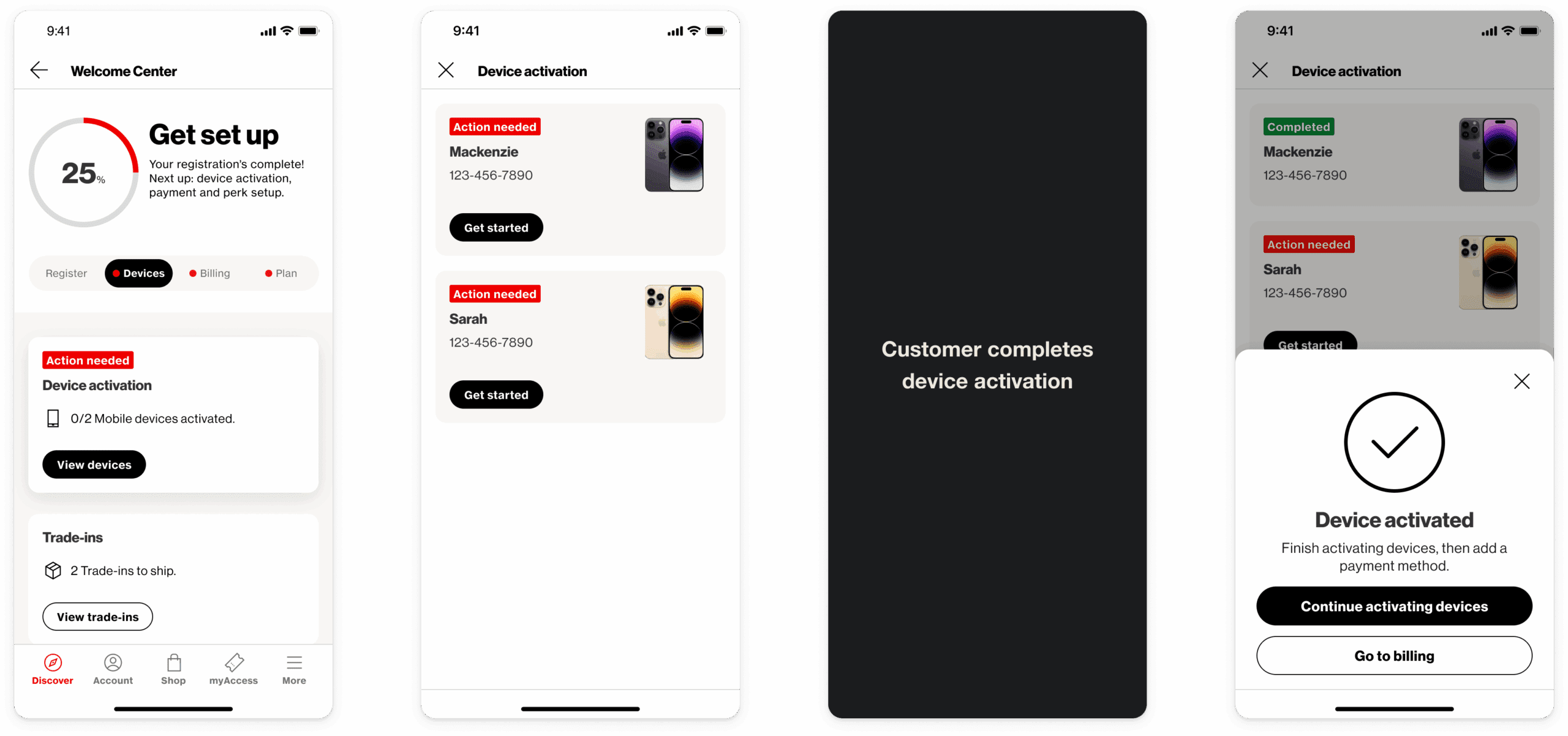
Device activation
The customer is shown a contextual confirmation prompt after activating a device depending on whether they have 1 or multiple devices to activate.
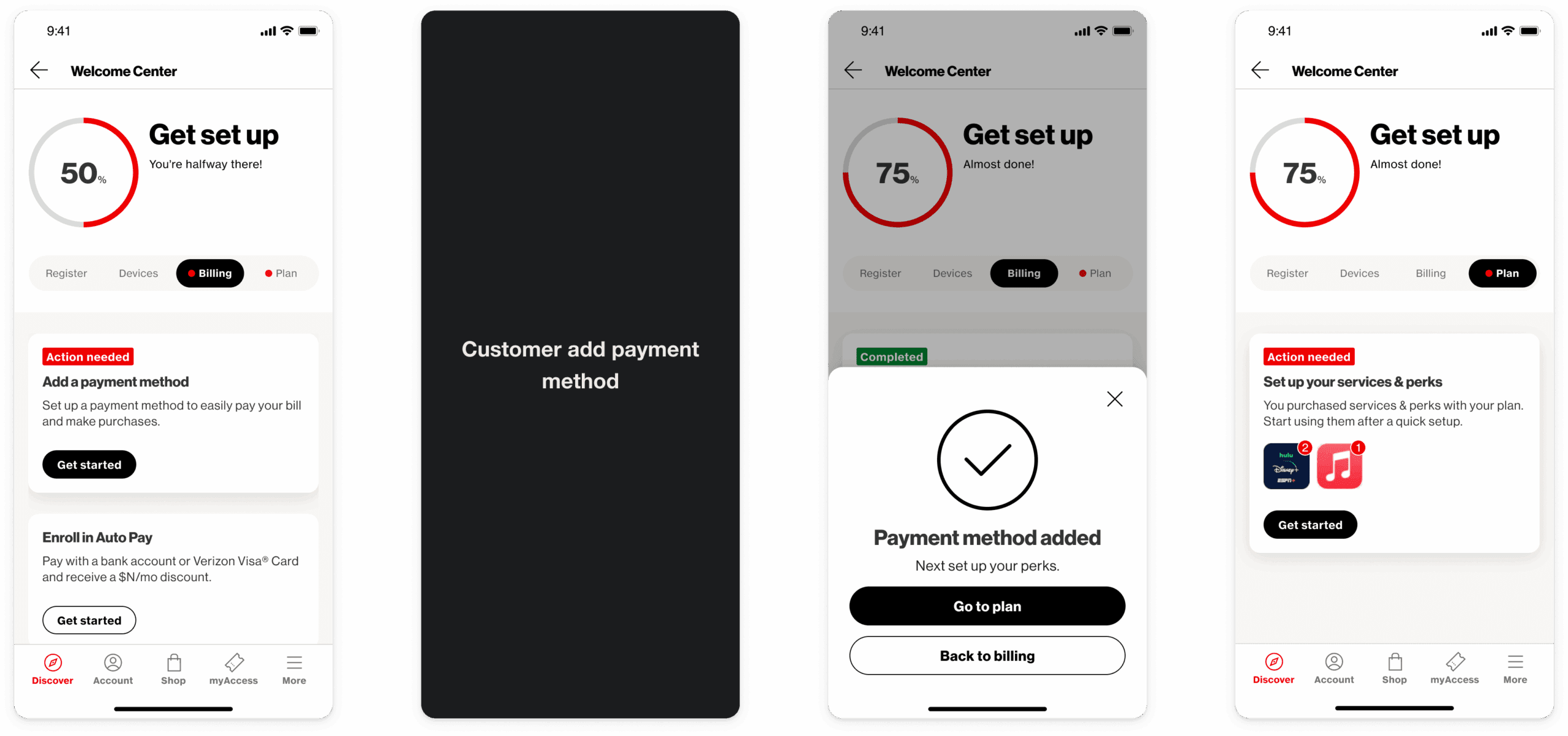
Billing & perk setup
The billing tab provides a direct link to payment settings where adding a payment method is the primary action.
The primary action for the plan tab is setting up any perks the customer may have added to their account.
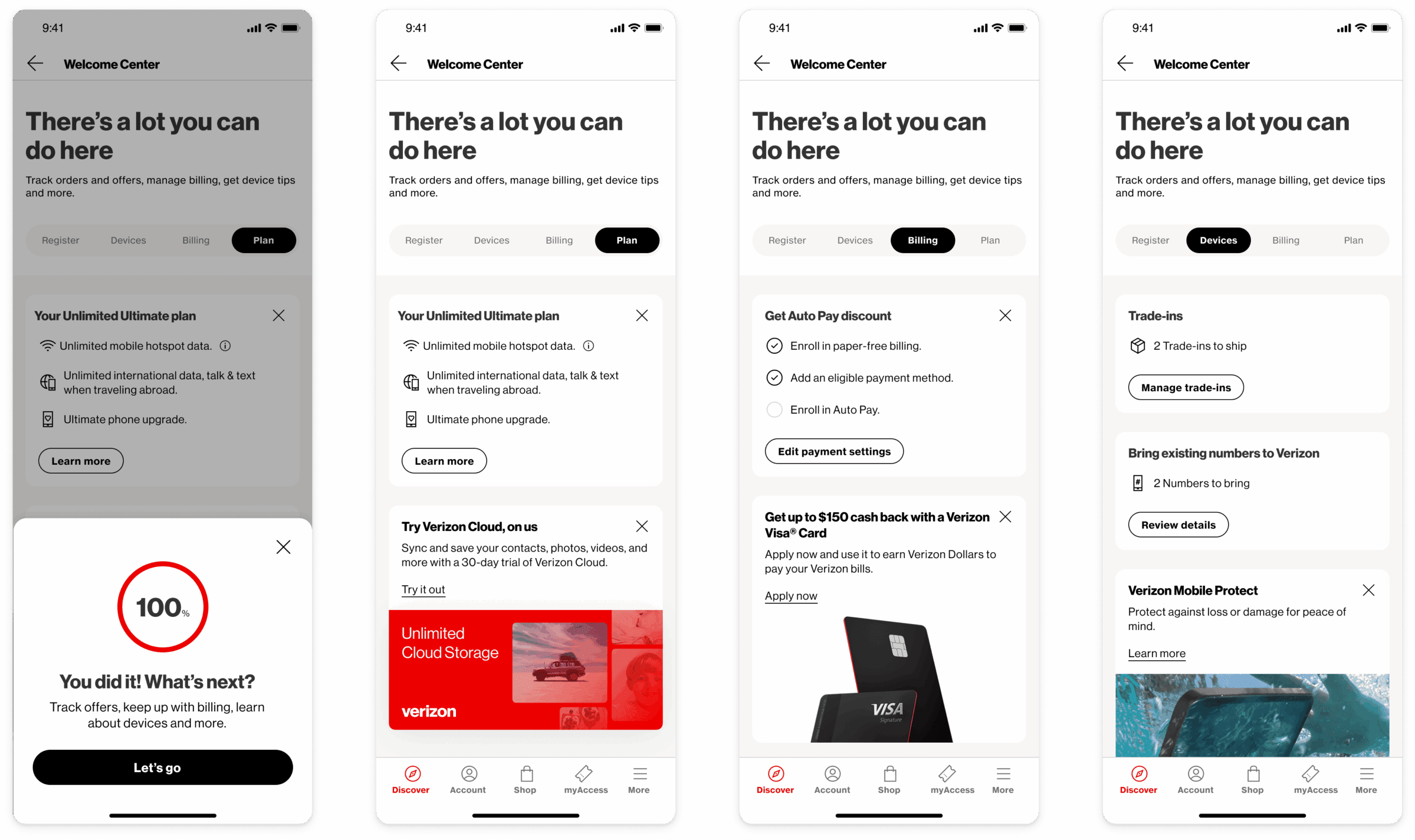
After 100% account setup
The customer is shown a bottom sheet explaining the change in the hub page. Additional actions are shown to the customer and most actions are dismissible.
Other Projects

Mobile Ordering for Walmart Managers
Award-winning mobile app that lets managers scan items, get AI-powered recommendations, and place orders while walking the sales floor.
iOS & Android
eCommerce
Revolutionizing Apparel Inventory with RFID and AR
Mobile app powered by RFID and AR, enabling associates to quickly locate, count, and stock apparel with precision and ease.
iOS & Android
Enterprise
Augmented Reality
Let's Connect
Reach out to learn more about my work or to talk design.

