
Connecting Critical Work in Regulated Environments
Case Study
Simplifying Task Management for Government Compliance
Desktop
Enterprise
Code Prototype
Summary
The National Nuclear Security Administration needed to replace two disconnected legacy systems and inefficient email workflows with a unified tool.
I designed a task management module integrated into a larger enterprise system, seamlessly connecting related work that was once fragmented across multiple platforms.
Contributions
Business Strategy
Workflow Design
Design System
User Research
Code Prototyping
User Testing
My Role
Design Lead
Team
Project Manager
Product Owners
Engineering
The Problem
Confusing Legacy Systems
Both systems that were being replaced were very overwhelming; there was so much on screen at once that it was hard to know what to focus on or do next.
Not intuitive
New users had to undergo a lot of training to understand how to use the application.
Not flexible
Tasks could be assigned to multiple people, but with only one field for instructions, each assignee had to scan through a large block of text to find their specific instructions.
No grouping of related tasks
Tasks could be assigned to dozens or even hundreds of people, but the list didn’t group related tasks together.
Goals
Handling Non-Linear Workflows
Most modules within the application have pre-defined, linear workflows, but some processes need more flexibility. The goal of the task module is to create a simple, flexible object that can be used to track a variety of workflow processes.
Keep it simple
The functionality needed to be simple enough for any user while remaining flexible enough to accommodate all use cases, including those from legacy systems.
Increase visibility of work
The client aimed to encourage teams unfamiliar with task management software to start tracking their work with tasks.
Context
Issues Management Platform
The new task module will be part of an enterprise workflow platform used to manage two large government sites. Our team combined multiple legacy systems to create an end-to-end experience centered around the issues management process.
Grid view + search
Each module within the platform has a grid view with custom saved search capabilities.

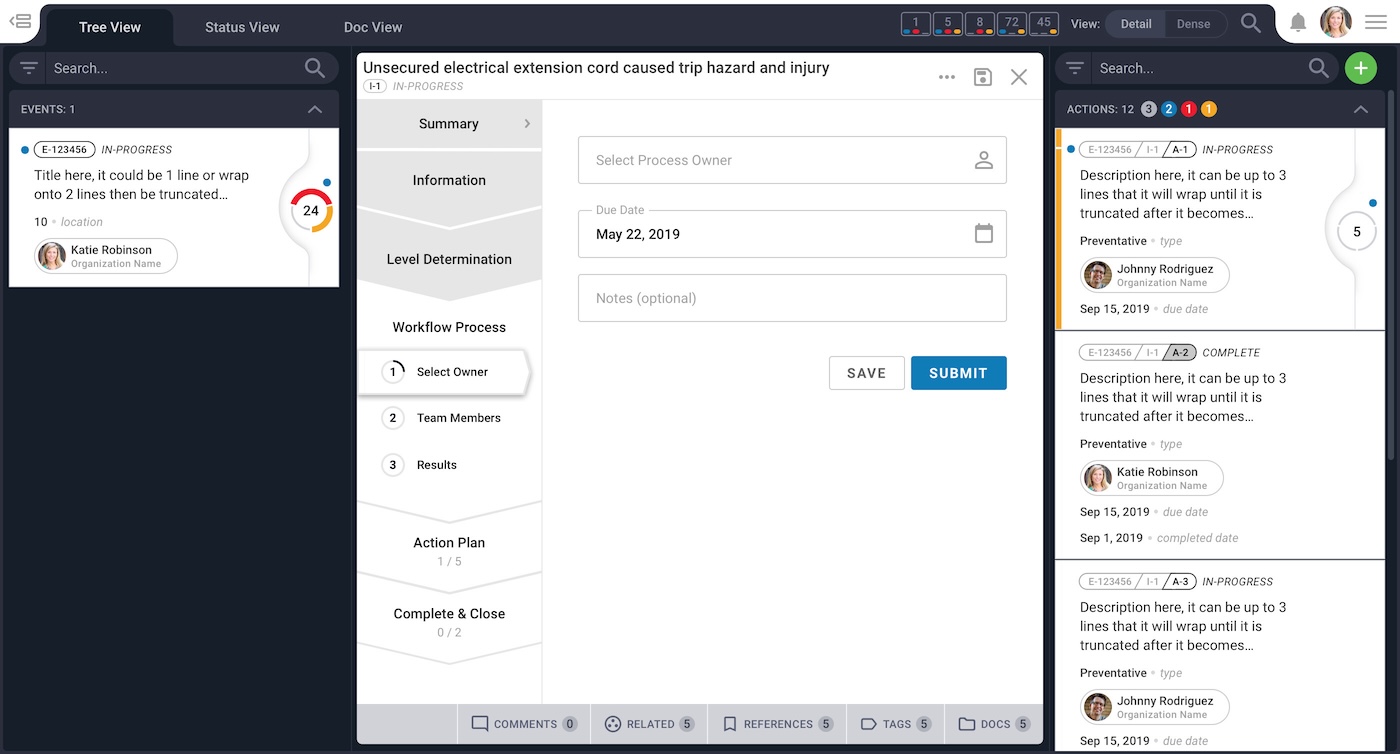
Object workflow
Each object has its own workflow, document management, commenting area, and more.
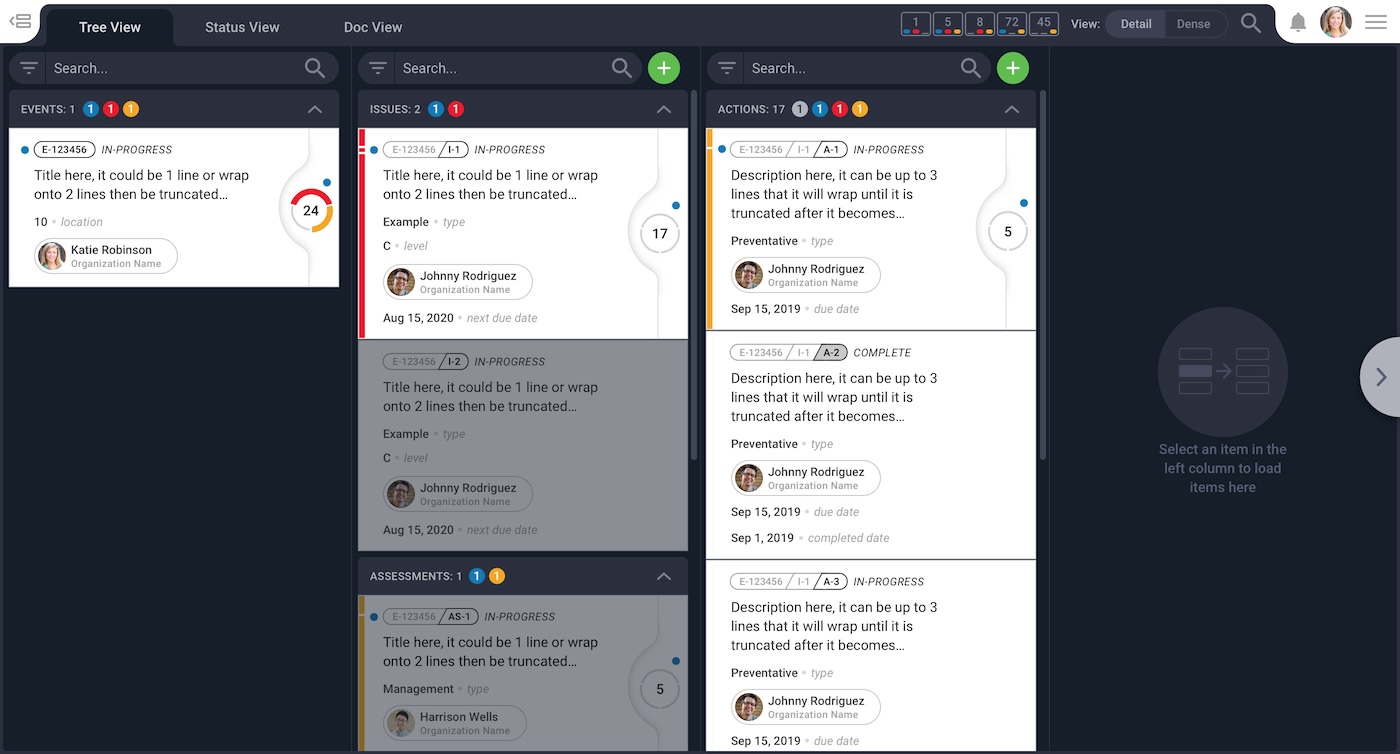
Tree view
All objects have a hierarchical relationship. The tree view visualizes the connections between related objects.
Discovery
Leveraging Existing Patterns
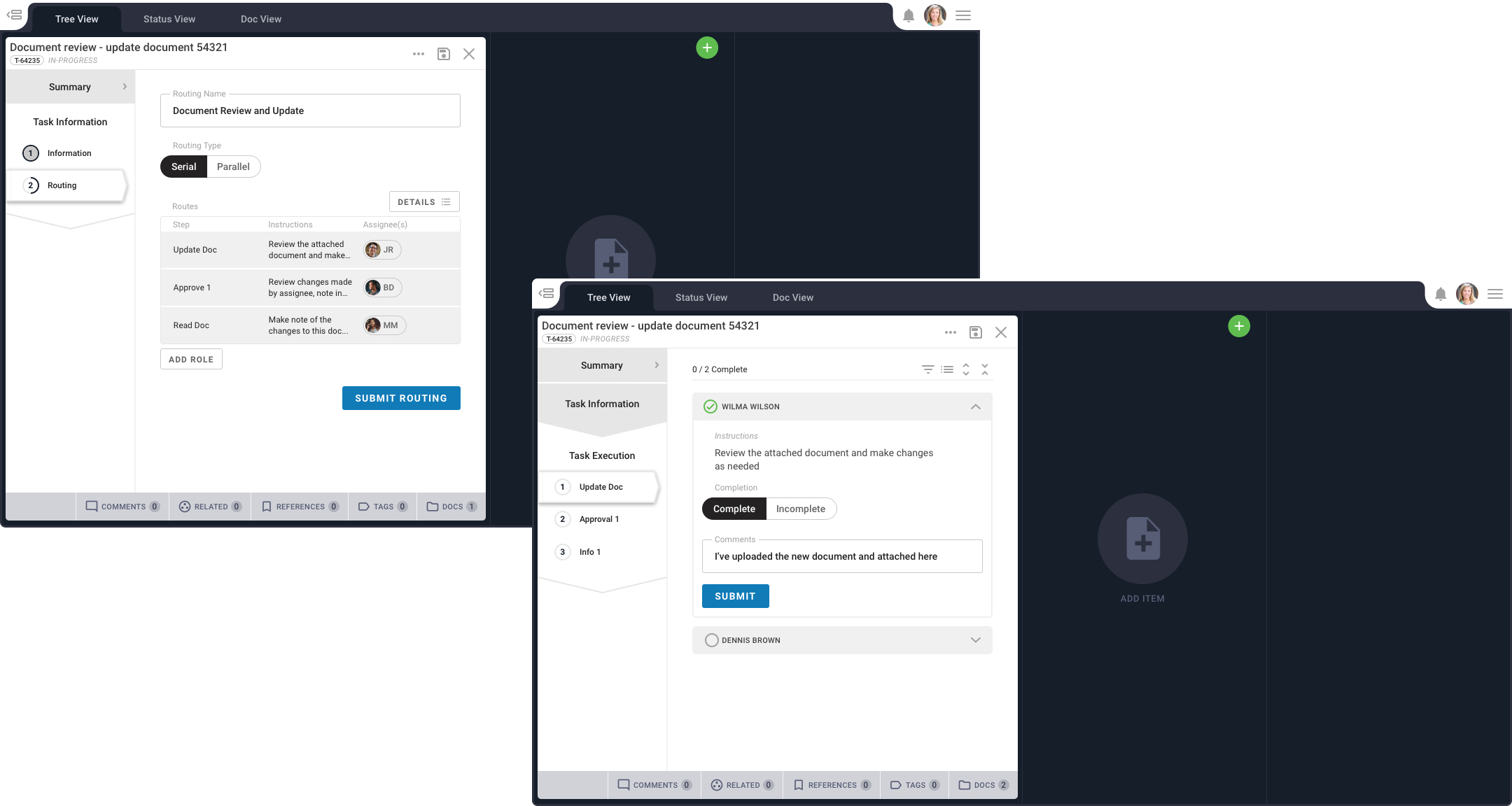
After conducting user interviews and compiling a list of common use cases, I started sketching out user flows and trying to plug the task management process into our existing workflow design patterns.

Findings
Customization Needed
We needed users to have the ability to create a custom workflow from scratch or load a pre-built template.
Existing patterns are too static
Using existing patterns didn’t feel natural since our forms weren’t designed to have customizable steps.
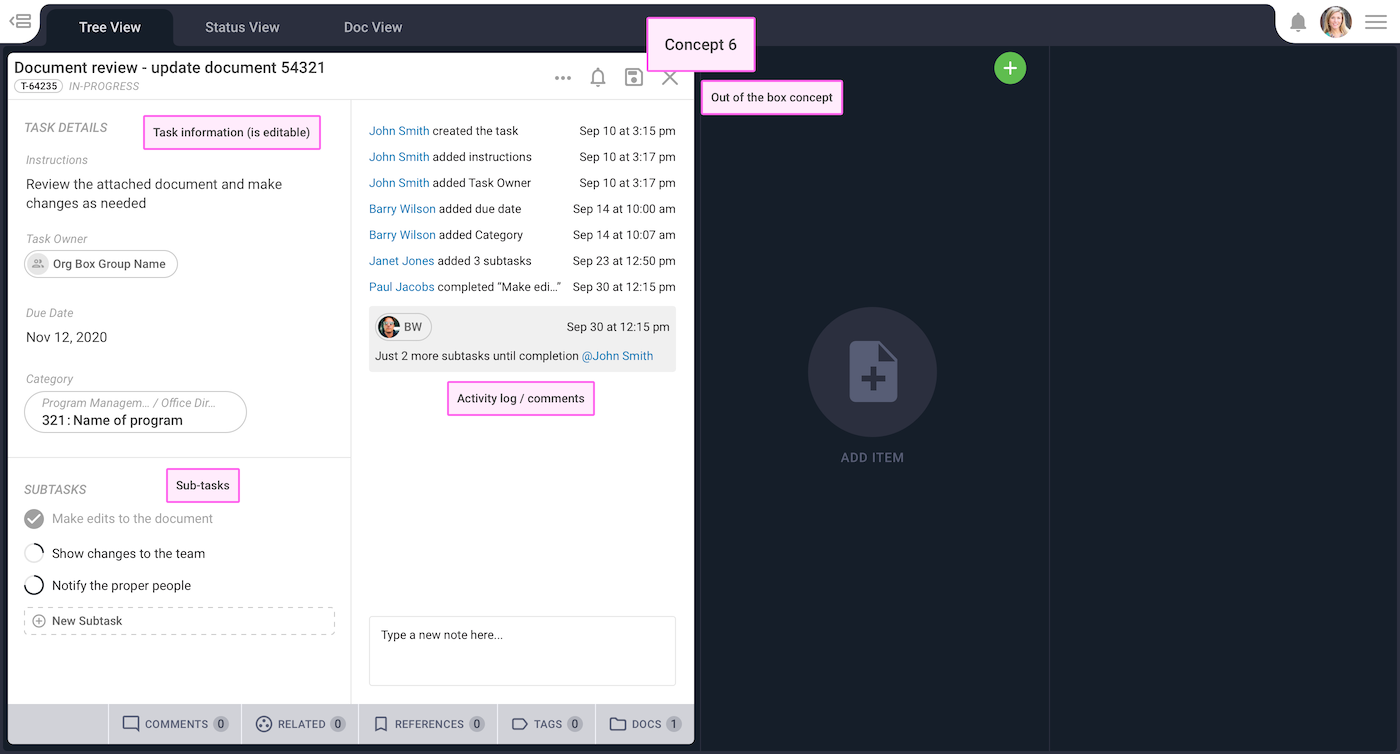
Fresh inspiration
I mocked up examples outside of our design system that were inspired by other task management tools and it felt like I was on the right track.
Exploration
Trying New Patterns and Controls
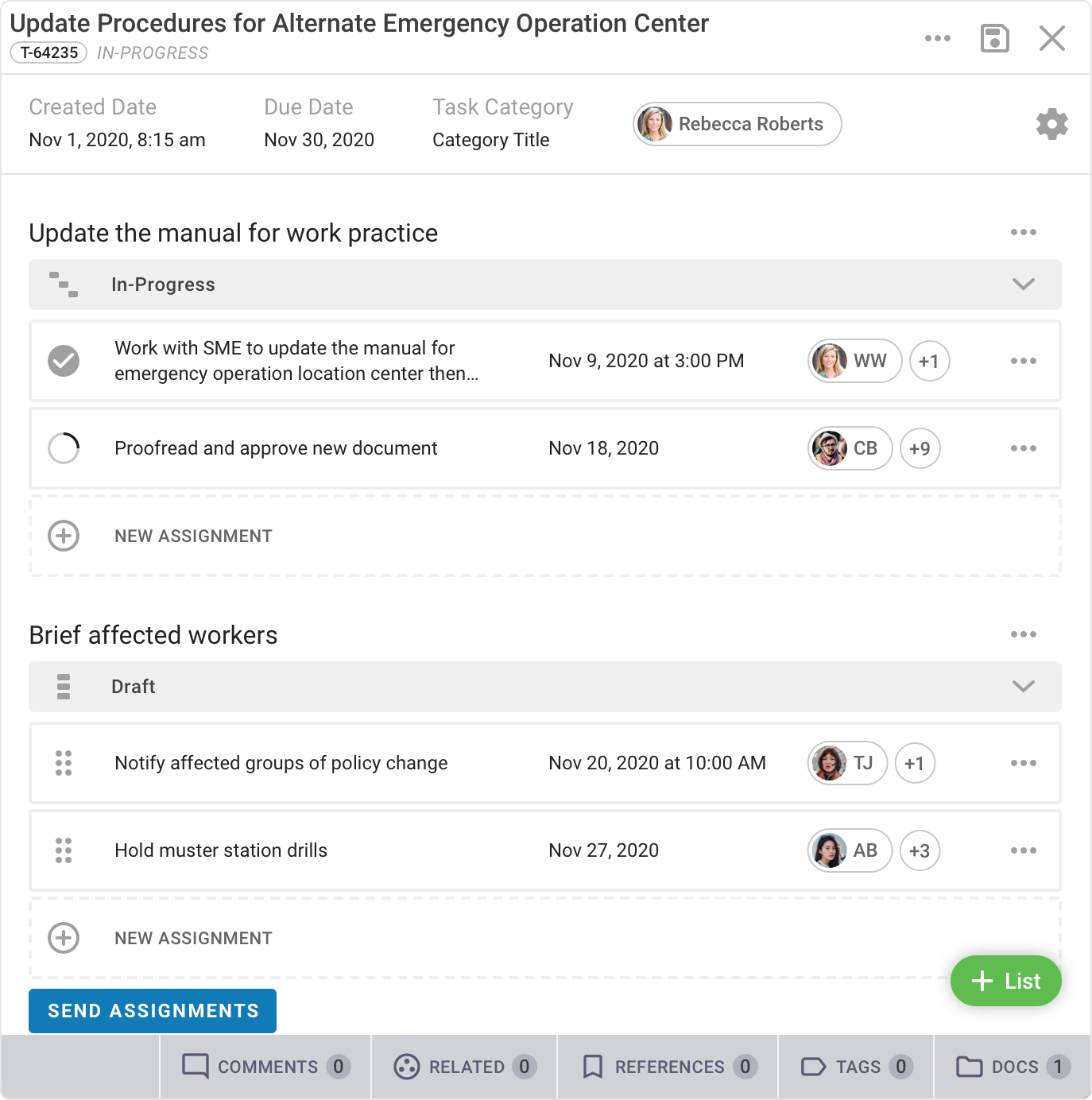
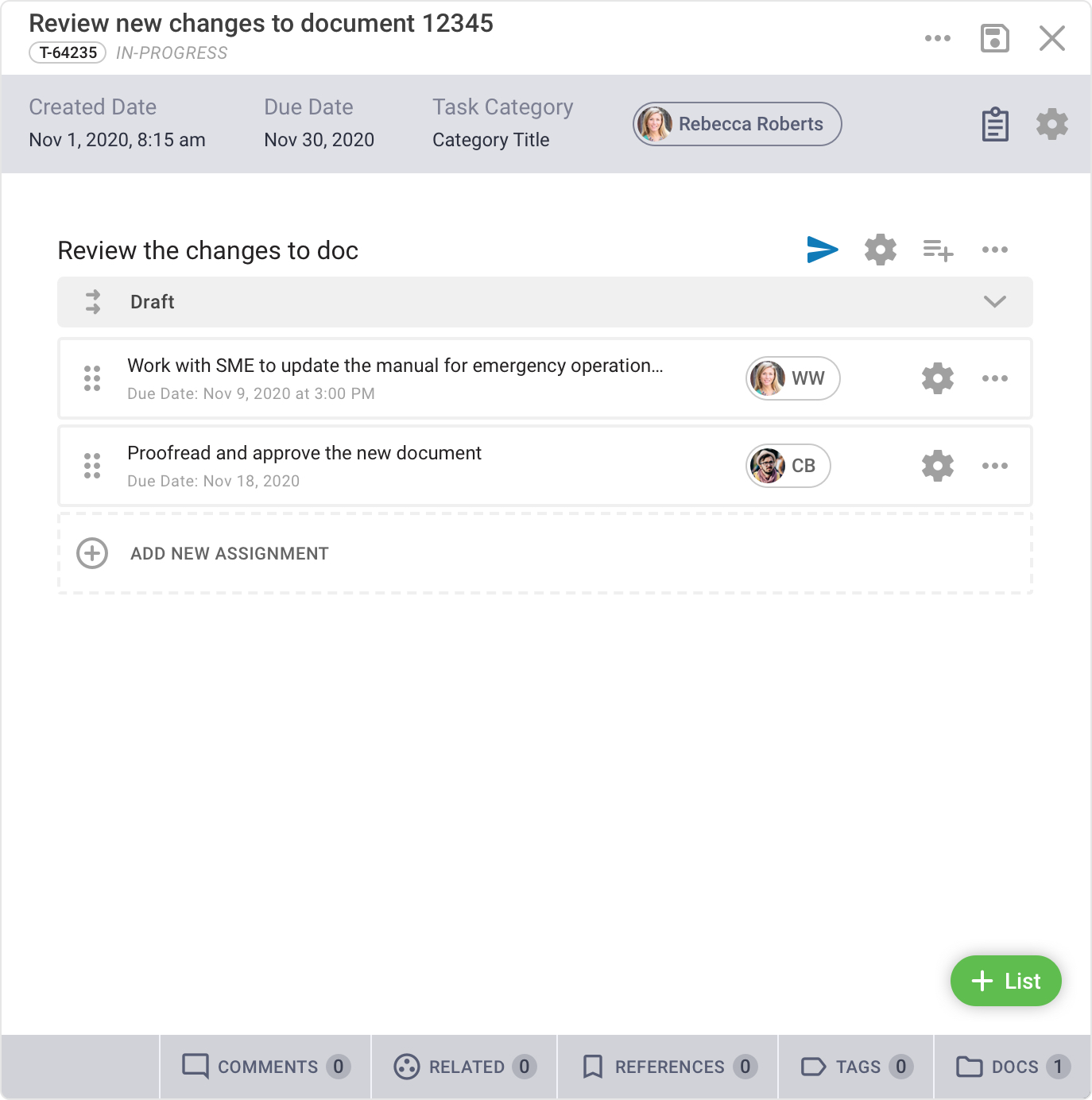
I experimented with different ways to show task hierarchy and manage the state of the assignment lists.


Refinement
Simplifying and Streamlining
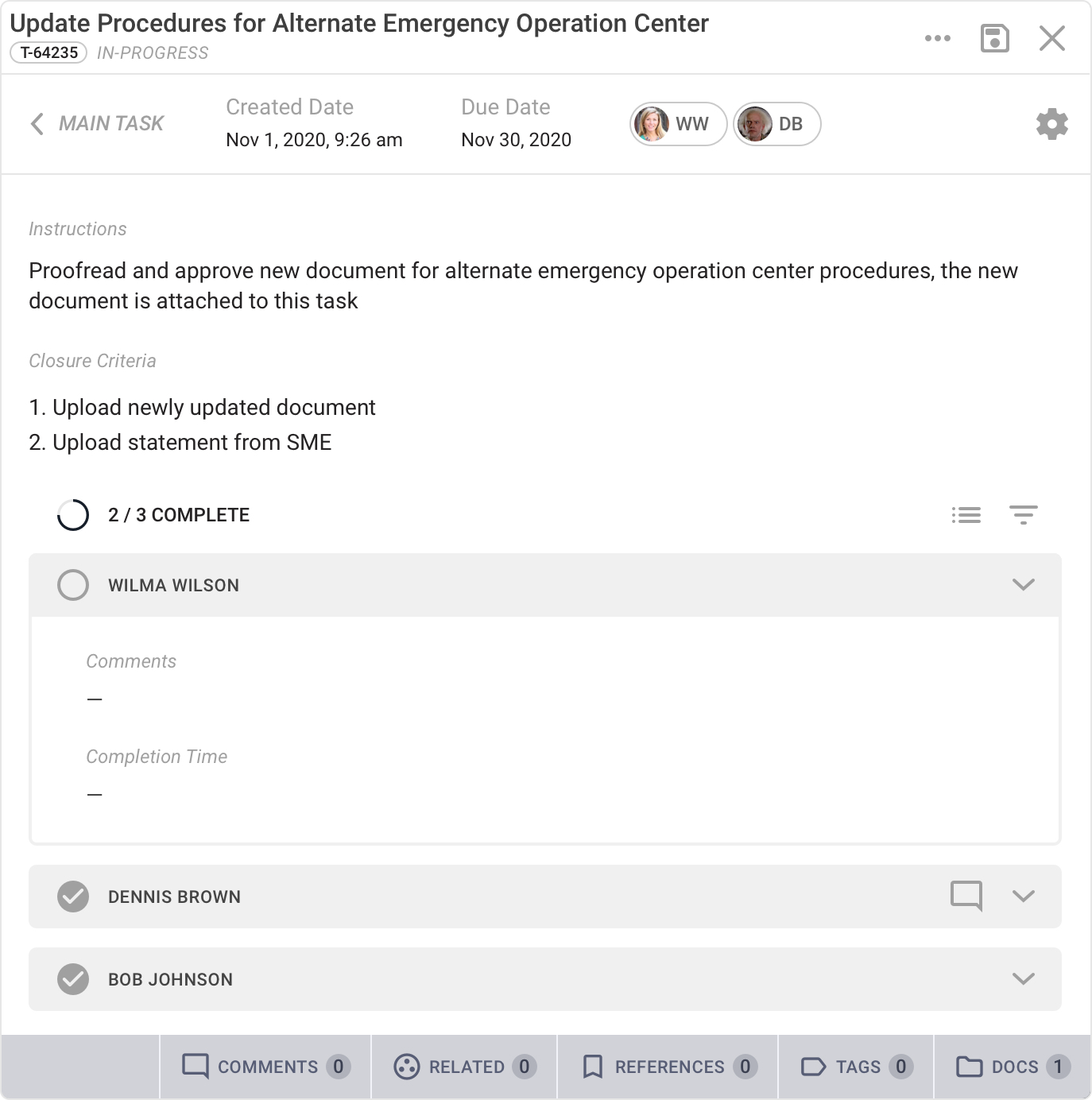
I continued to refine the visual hierarchy as well as work on the different views for task owners and assignees.

Testing
Code Prototype
For security reasons, I was restricted from using any cloud based prototyping tools, so I built a code prototype to fully test all the new interactions with users.
Adjustments
Simplifying the Mental Model
In the legacy systems, tasks were big, nested objects. For technical reasons, we decided to break up tasks to fit better into the existing information architecture of the new platform.
Testing new terminology
Tasks = a simple to-do. A task can stand on its own or be grouped with related tasks in a list.
Assignment = a collection of tasks. Each assignment can have multiple task lists with special controls.
Developer Handoff
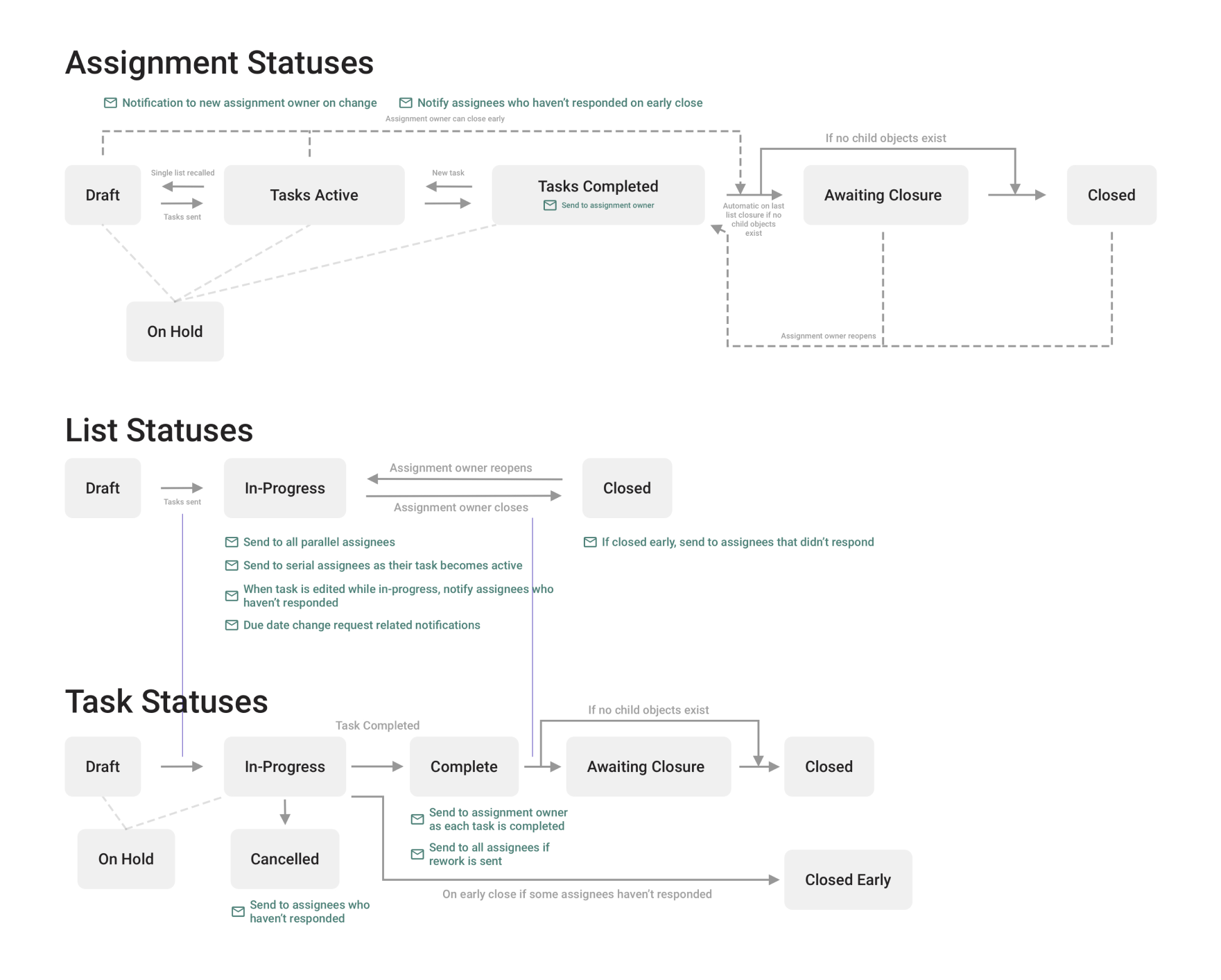
Documenting Flows and States
It was important to not only document the various states that tasks could be in, but also when notifications were sent out to assignees and the assignment owner, to comply with government regulations.
Final Design Highlights
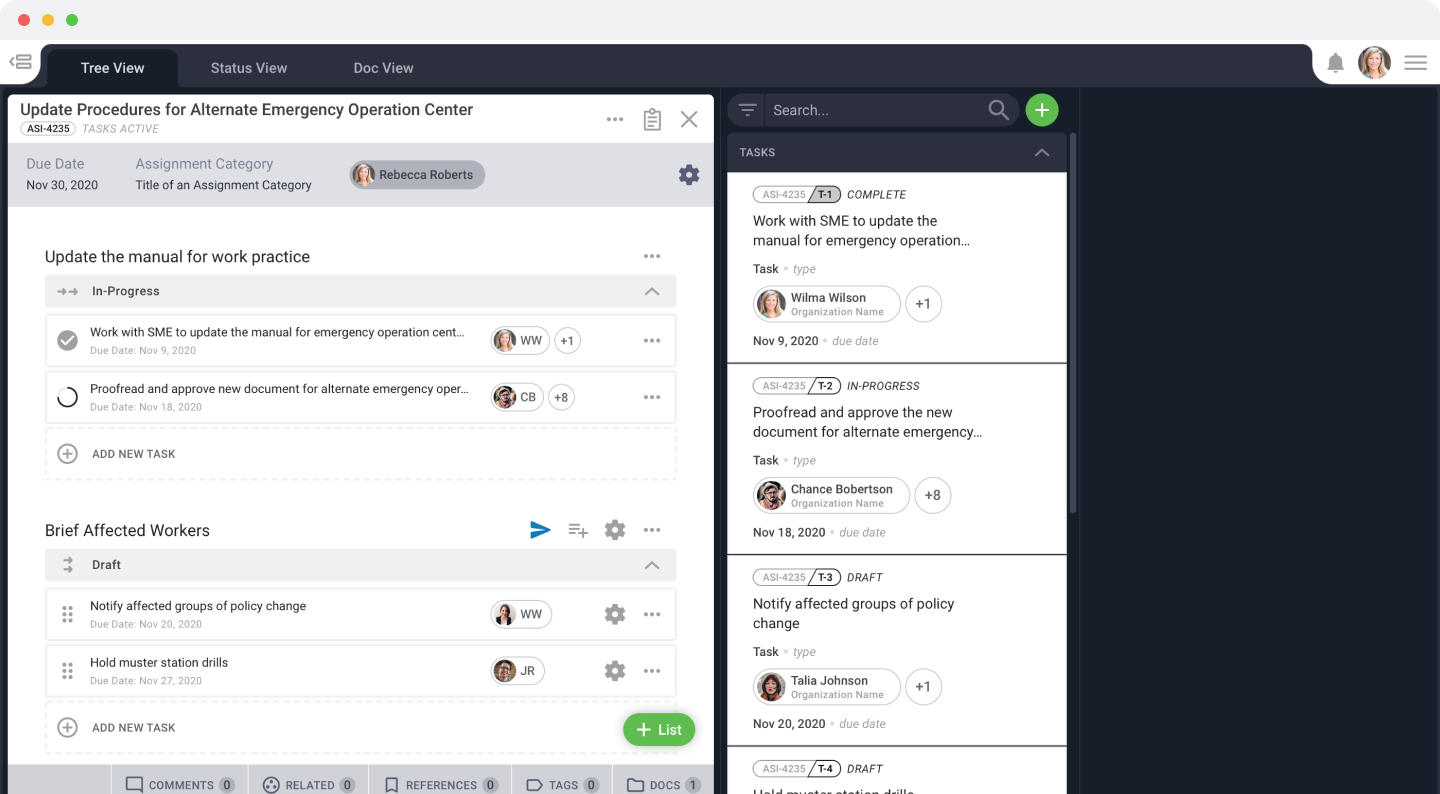
In-progress assignment with 2 task lists
The assignment view groups related tasks into task lists and the lists can be controlled independently.
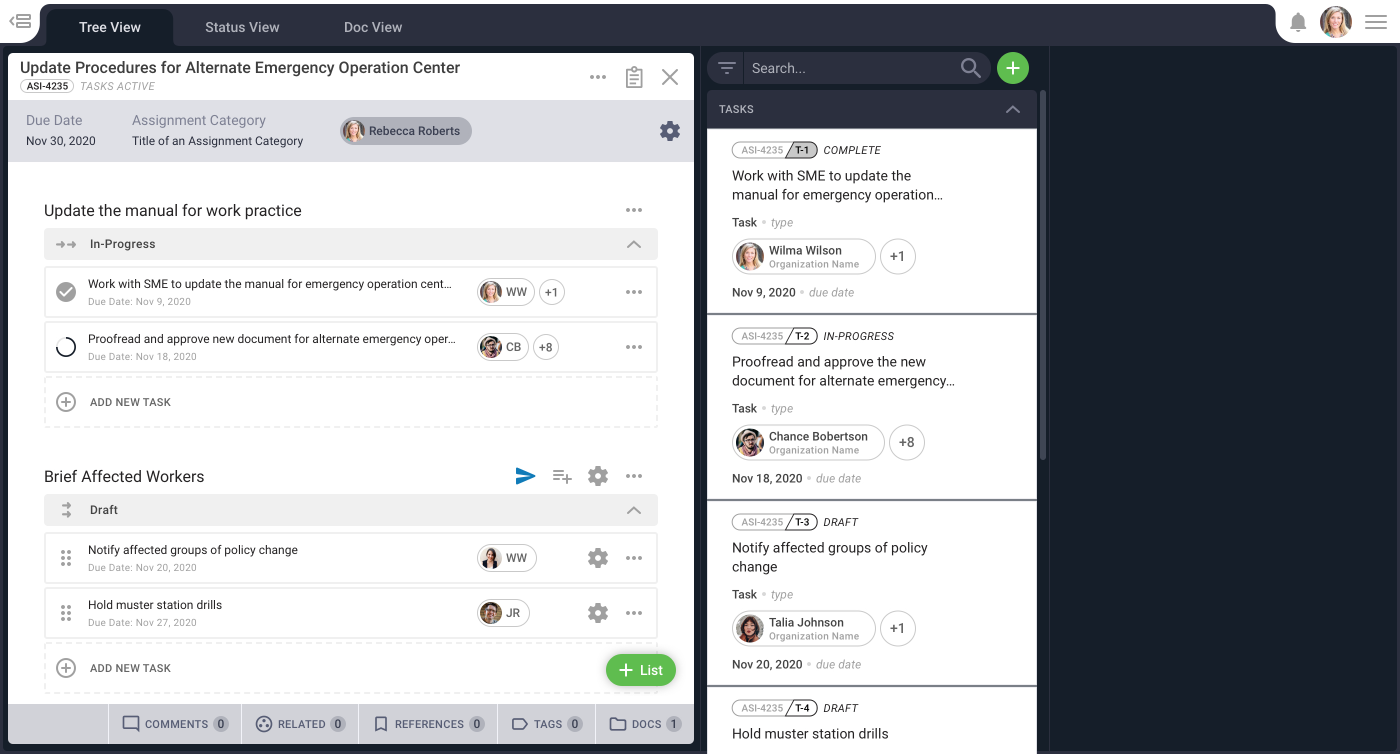
Open task view
Clicking on a task will open the task card in the next column. When assignees open a task, their form and instructions will be in view by default.

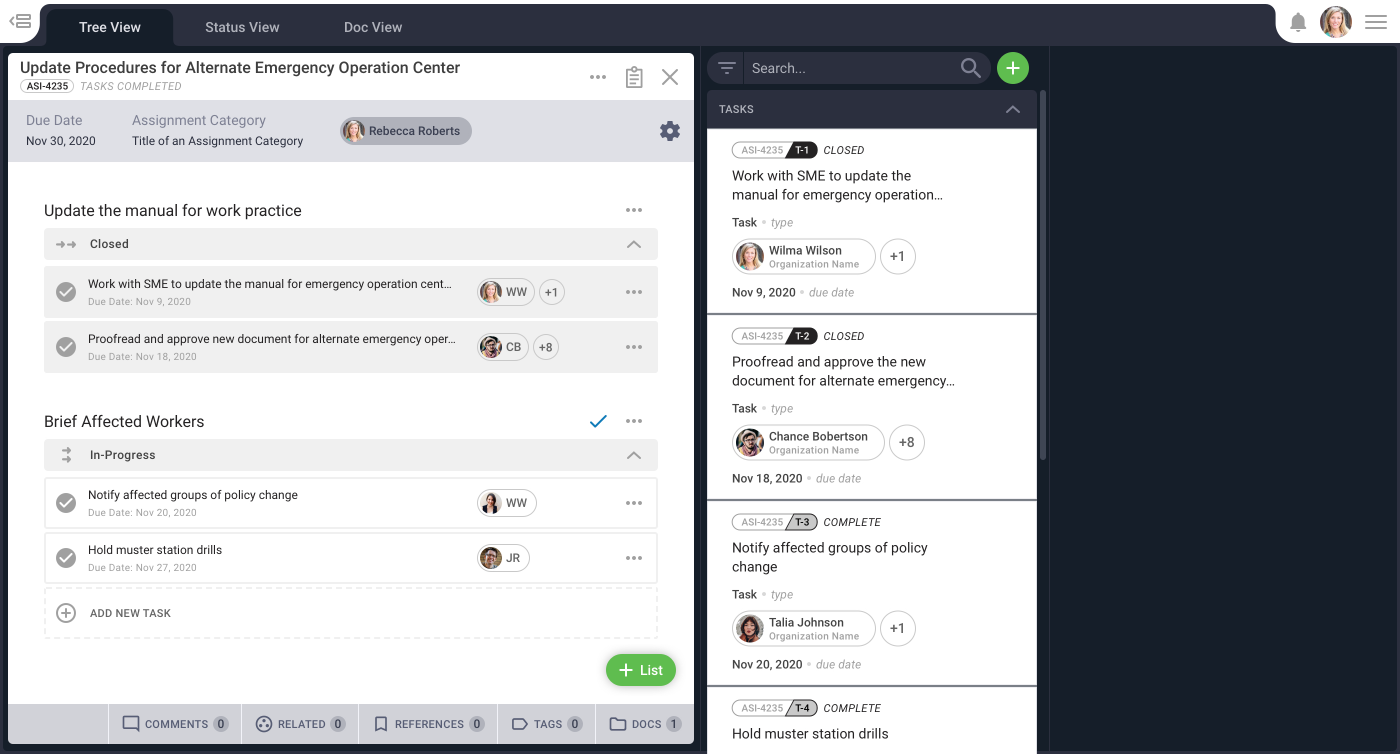
Closing task lists
As tasks are completed, the assignment owner can close the task lists or send tasks back for rework as needed.
Other Projects

Revolutionizing Apparel Inventory with RFID and AR
Mobile app powered by RFID and AR, enabling associates to quickly locate, count, and stock apparel with precision and ease.
iOS & Android
Enterprise
Augmented Reality
Mobile Ordering for Walmart Managers
Award-winning mobile app that lets managers scan items, get AI-powered recommendations, and place orders while walking the sales floor.
iOS & Android
eCommerce
Let's Connect
Reach out to learn more about my work or to talk design.

